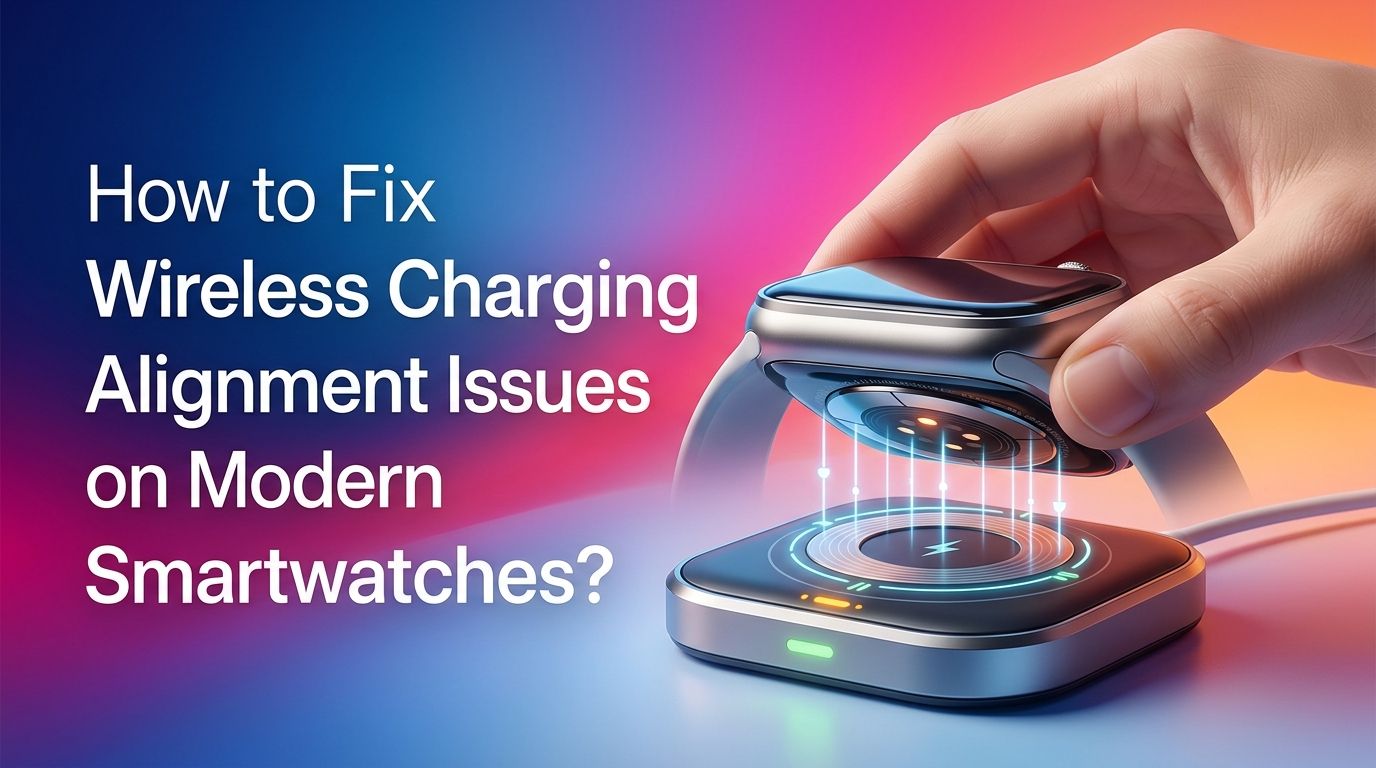
How to Fix Wireless Charging Alignment Issues on Modern Smartwatches?
You place your smartwatch on its charger before bed, and you wake up to a dead battery. Sound familiar? Wireless charging alignment issues affect millions of smartwatch users every day.
The problem is more common than most people think, and it can happen with any brand, from Apple Watch to Samsung Galaxy Watch to Garmin and Fitbit devices.
A slight misalignment between the charging coil in your watch and the coil in the charger can stop the power transfer entirely.
In a Nutshell
- Dirty charging contacts are the number one cause of alignment failures. Sweat, dust, and skin oils build up on the back of your smartwatch and on the charger surface. A quick clean with a microfiber cloth or a cotton swab dipped in rubbing alcohol can restore a solid connection instantly.
- Protective cases and screen protectors can block the magnetic connection. If your smartwatch has a case, bumper, or thick protective cover on the back, it may prevent the charger from sitting close enough to align with the internal coils. Remove the case before charging to test if this is your problem.
- Weak or reversed magnets cause the charger to repel instead of attract. Some users, especially those with third party chargers, report that the polarity is flipped. Flipping the charger puck over or using the correct original charger typically solves this issue.
- Software glitches can mimic hardware charging problems. A simple restart of your smartwatch can clear temporary bugs that prevent the device from recognizing the charger. A factory reset is a last resort but can resolve persistent software related charging failures.
- Using a different power source matters more than you think. A low power USB port, a damaged wall adapter, or an overloaded power strip can all provide insufficient power. Try plugging the charger into a different outlet or a known good USB adapter to rule out power delivery problems.
- Overheating triggers automatic charging shutoffs. Modern smartwatches have built in thermal protection. If your watch or charger gets too hot, the device will stop charging as a safety measure. Charging in a cool, well ventilated area prevents this from happening.
Understanding How Wireless Charging Works on Smartwatches
Wireless charging on smartwatches uses electromagnetic induction to transfer energy between two coils. The charger contains a transmitter coil, and the watch contains a receiver coil. When these two coils align, an alternating current in the transmitter creates a magnetic field that induces a current in the receiver.
Most modern smartwatches use the Qi standard or a proprietary variation of it. Apple Watch uses a modified Qi system, Samsung Galaxy Watch uses Qi, and many Garmin and Fitbit models use pogo pin contacts instead of true wireless charging. The alignment tolerance on smartwatches is much tighter than on phones because the coils are significantly smaller.
Even a few millimeters of offset can break the connection. That is why manufacturers add magnets to help guide the watch into the correct position. When those magnets weaken or the coil placement shifts, charging becomes unreliable.
Cleaning the Charging Contacts and Charger Surface
The simplest fix is often the most effective. Dirt, sweat, and debris on your smartwatch back or charger surface create a physical barrier between the two coils. This barrier reduces magnetic attraction and prevents proper alignment.
Start by powering off your smartwatch. Use a soft, lint free microfiber cloth to wipe the back of the watch. For stubborn buildup, dampen a cotton swab with isopropyl alcohol (70% or higher) and gently clean the charging area. Let it air dry completely before placing it on the charger.
Clean the charger surface the same way. Look for tiny particles, lint from fabric, or crusty residue. A soft bristled toothbrush works well for removing debris stuck in small grooves around the charging contacts.
Pros: This method is free, takes under two minutes, and fixes the problem in a large percentage of cases.
Cons: If the issue is internal magnet damage or a faulty coil, cleaning alone will not solve the problem.
Removing Protective Cases and Accessories Before Charging
Smartwatch bumpers, protective cases, and even certain watch bands can interfere with wireless charging alignment. A case adds thickness between the watch back and the charger, which increases the distance between the two coils. Even a millimeter of extra gap can disrupt the magnetic field.
Remove your protective case before placing the watch on the charger. Check if the watch snaps into place more firmly without the case. If charging works perfectly without the case, you know the case is the culprit.
Some manufacturers sell cases that are specifically designed with cutouts for the charging area. These allow the charger to sit flush against the watch back while still providing protection during daily use. If you need a case for your smartwatch, look for one with an open back design.
Pros: This is an instant test that costs nothing and quickly identifies whether the case is causing the alignment problem.
Cons: Removing the case every night is inconvenient, and buying a charging compatible case adds extra cost.
Checking for Magnet Polarity and Strength Issues
Magnets inside your smartwatch and charger guide the two devices into the correct position. Over time, these magnets can weaken from heat exposure, impacts, or general wear. In rare cases, third party chargers have reversed polarity, meaning the magnets push the watch away instead of pulling it in.
Test the magnetic strength by slowly bringing the charger close to the back of your watch. You should feel a definite pull and snap as the magnets engage. If the connection feels weak or if the charger seems to slide around on the watch back, the magnets may be degraded.
For polarity issues, try flipping the charger puck over. Some users on forums have reported success by using the opposite face of the charging disc. If a third party charger has reversed polarity, replacing it with the original manufacturer charger is the most reliable fix.
Pros: Identifying magnet issues helps you decide whether to replace the charger or seek warranty service.
Cons: You cannot easily fix weak magnets at home, and replacement chargers cost money.
Adjusting the Watch Position on the Charger
Sometimes the fix is as simple as repositioning your watch on the charger. Not every smartwatch sits perfectly centered on every charger, especially if you are using a charging stand or a multi device charging pad.
Place the watch on the charger and watch for the charging indicator on the screen. Slowly slide the watch in small movements, left, right, up, and down, until the charging icon appears. Once you find the sweet spot, take note of the position so you can replicate it each time.
Flat charging pucks generally offer better alignment than angled stands because gravity helps keep the watch centered. If you use a charging stand, make sure the watch sits securely and does not tilt or slide. Some users place a small piece of non slip material beneath the charger to prevent movement on smooth surfaces.
Pros: This costs nothing and can be done immediately without any tools.
Cons: It can be frustrating to find the exact right spot every time, and it does not address underlying hardware problems.
Trying a Different Power Source or Cable
Your smartwatch charger needs consistent, adequate power to function properly. A low power USB port, a failing wall adapter, or a damaged cable can all cause intermittent charging that looks like an alignment problem but is actually a power delivery issue.
Swap the wall adapter first. Use a 5V/1A or 5V/2A adapter that you know works well with other devices. Avoid charging from laptop USB ports, as these sometimes provide less power than wall outlets. Also, inspect the USB cable for fraying, bent connectors, or visible damage.
Try plugging the charger into a completely different electrical outlet, preferably one on a different circuit in your home. Overloaded power strips and extension cords can cause voltage drops that disrupt wireless charging.
Pros: This test is quick and helps rule out power source problems before assuming the charger or watch is faulty.
Cons: You may need to purchase a new adapter or cable if the current one is damaged, which adds a small cost.
Restarting Your Smartwatch to Clear Software Glitches
Software bugs can prevent your smartwatch from recognizing the charger. A temporary glitch in the operating system may disable the charging receiver or fail to display the charging indicator even when power is flowing.
Perform a soft restart by holding the side button or power button on your smartwatch until the restart option appears. Select restart and wait for the device to fully reboot. Place the watch back on the charger and check if the problem is resolved.
If a soft restart does not work, try a forced restart. On Apple Watch, press and hold both the side button and the Digital Crown for at least 10 seconds. On Samsung Galaxy Watch, press and hold the Home key for 7 seconds or longer. Other brands have similar forced restart methods listed in their support documentation.
Pros: Software restarts fix a surprising number of charging issues and take less than a minute.
Cons: This does not address any hardware or physical alignment problems.
Updating Your Smartwatch Firmware
Manufacturers regularly release firmware updates that fix known bugs, including charging related issues. An outdated operating system on your smartwatch may contain a bug that causes charging interruptions or misreads the alignment of the charging coil.
Connect your smartwatch to Wi Fi and open the settings menu. Navigate to the software update section and check for available updates. Install any pending updates and restart the device after the installation completes.
For Apple Watch, you can also initiate updates through the Watch app on your iPhone. Samsung Galaxy Watch updates are available through the Galaxy Wearable app. Make sure your watch has at least 50% battery before starting a firmware update, or keep it on the charger during the process.
Pros: Firmware updates can fix software related charging bugs permanently and are free to install.
Cons: Updates require a stable connection and sufficient battery, which can be difficult if the watch will not charge at all.
Addressing Overheating During Charging
Modern smartwatches include thermal protection circuits that automatically stop charging when the device gets too hot. If your watch charges for a few minutes and then stops, overheating may be the cause rather than a true alignment issue.
Remove your smartwatch from direct sunlight while charging. Avoid placing the charger on soft surfaces like beds, pillows, or couches that trap heat. A hard, flat surface like a desk or nightstand allows air to circulate around the charger and watch.
If you live in a warm climate or charge during summer months, consider placing a small fan nearby to keep air moving. Some users on Reddit have reported that a USB powered desk fan pointed at the watch during charging significantly reduces heat buildup and prevents charging interruptions.
Pros: Managing heat is a zero cost solution that protects both your watch and its battery longevity.
Cons: Extreme heat damage to internal components may require professional repair that this method cannot fix.
Inspecting for Physical Damage on the Watch and Charger
Physical damage to either the smartwatch or the charger can cause persistent alignment failures. Look for cracks, dents, or warping on the back of your watch, especially around the charging area. Even small impacts can shift internal components enough to affect coil alignment.
Inspect the charger for bent pins, cracked plastic, or a loose cable connection. Pogo pin chargers are especially vulnerable to damage because the small metal pins can bend or break from repeated use. If any pins appear pushed in, stuck, or discolored, the charger may need replacement.
Check for corrosion on both the watch and charger contacts. Exposure to moisture, sweat, or salt water can cause green or white buildup on metal surfaces. Clean mild corrosion with isopropyl alcohol. Severe corrosion usually means the component needs replacement.
Pros: A visual inspection helps you quickly determine if repair or replacement is needed.
Cons: Internal damage is not visible from outside, so some problems may require professional diagnostic tools.
Using the Correct Charger for Your Smartwatch Model
Not all wireless chargers are compatible with all smartwatches. Using a charger that was designed for a different model or brand can result in poor alignment, slow charging, or no charging at all. The coil size, position, and magnet arrangement vary between manufacturers.
Always check that your charger matches your exact smartwatch model. For example, Apple Watch chargers use a specific magnetic puck design that does not work with Samsung Galaxy Watch. Similarly, older generation chargers may not fully support newer watch models even within the same brand.
If you have lost your original charger, purchase a manufacturer certified replacement. Third party chargers may work, but they carry a higher risk of alignment issues, polarity problems, and inconsistent power delivery. Read user reviews carefully before choosing any replacement charger.
Pros: Using the correct charger eliminates compatibility as a variable and ensures optimal coil alignment.
Cons: Original manufacturer chargers tend to cost more than generic alternatives.
Performing a Factory Reset as a Last Resort
If you have tried every other solution and your smartwatch still refuses to charge properly, a factory reset may resolve deep software corruption that is interfering with the charging system. This should be your absolute last step before seeking professional repair.
Back up your smartwatch data first. On Apple Watch, your data syncs with your iPhone automatically. On Samsung Galaxy Watch, use the Galaxy Wearable app to back up settings and health data. On Garmin, sync with Garmin Connect.
Perform the factory reset through the settings menu on your watch. After the reset completes, set up the watch as a new device and test charging before restoring your backup. This helps confirm whether the issue was software related. If the watch still does not charge after a factory reset, the problem is almost certainly hardware related, and you should contact the manufacturer or visit an authorized repair center.
Pros: A factory reset clears all software issues and gives you a clean starting point for diagnosis.
Cons: You lose all local data and customization, and the setup process takes time. It also does not fix any hardware problems.
When to Seek Professional Repair or Warranty Service
Some wireless charging alignment problems cannot be fixed at home. If you have cleaned the contacts, tested different power sources, restarted the watch, updated firmware, and performed a factory reset without success, the issue likely involves damaged internal hardware.
Contact your smartwatch manufacturer’s support team. Most smartwatches come with a one to two year warranty that covers manufacturing defects, including faulty charging coils and weak magnets. Apple, Samsung, Garmin, and Fitbit all offer mail in repair services and in person support at authorized locations.
Before sending your watch in for repair, document the problem with photos or a short video. Note which troubleshooting steps you have already tried. This information helps the repair team diagnose the issue faster and increases the chance of a smooth warranty claim.
Pros: Professional repair addresses hardware problems that home fixes cannot solve, and warranty coverage may make it free.
Cons: Repair turnaround times can take one to three weeks, and out of warranty repairs can be expensive.
Frequently Asked Questions
Why does my smartwatch keep disconnecting from the charger?
Intermittent disconnection usually results from dirty contacts, a weak magnetic connection, or an unstable power source. Clean the back of your watch and the charger surface with a microfiber cloth. Test with a different wall adapter and cable. If the problem continues, the charger magnets may be weakened and need replacement.
Can I use any wireless charger for my smartwatch?
No. Most smartwatches require a charger that matches their specific model and brand. Apple Watch, Samsung Galaxy Watch, and Google Pixel Watch all use different charger designs with unique coil sizes and magnet placements. Using the wrong charger will cause alignment issues or may not charge the device at all.
Does a phone case or watch bumper affect wireless charging?
Yes. Thick cases, metal accessories, and bumpers can increase the distance between the charging coils and block the magnetic connection. Remove any cases or protective covers from the back of your smartwatch before placing it on the charger. If charging works without the case, switch to a case with an open back design.
How do I know if my smartwatch charging coil is damaged?
If you have tried all software and cleaning fixes without success, a damaged charging coil is a likely cause. Signs include the watch never showing a charging indicator, the charger getting extremely hot with no charge progress, or the watch only charging when pressed firmly against the charger at a specific angle. Professional diagnostic testing is needed to confirm coil damage.
Why does my smartwatch charger repel instead of attract?
This is a polarity issue that occurs most often with third party chargers. The magnets in the charger are oriented opposite to the magnets in your watch, creating a repelling force. Try flipping the charger puck over. If this does not work, replace the charger with the original manufacturer model or a certified compatible alternative.
Is it safe to charge my smartwatch overnight?
Yes. Modern smartwatches have built in overcharge protection that stops power flow once the battery reaches 100%. However, make sure the charger sits on a hard, flat surface with good ventilation to prevent overheating. Avoid charging on soft bedding or near flammable materials.

Hi, I’m Lucy Jones, a dedicated watch enthusiast and reviewer. I spend my time hunting down, testing, and evaluating the most intriguing wristwatches on the market. My goal is to guide you through the overwhelming choices with honest, hands-on insights into every timepiece.