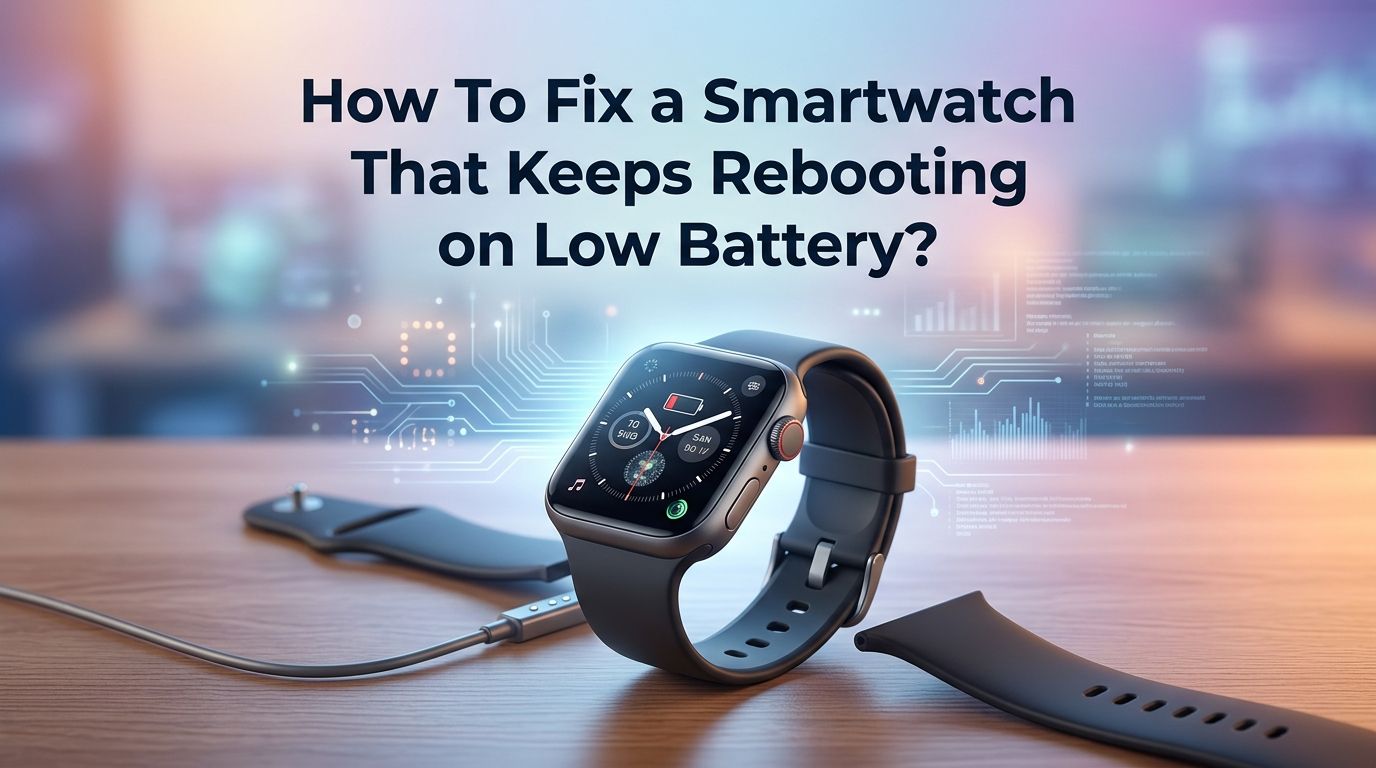
How To Fix a Smartwatch That Keeps Rebooting on Low Battery?
Is your smartwatch stuck in a frustrating reboot loop every time the battery drops low? You charge it, walk away, and minutes later it restarts itself again. This is one of the most common and annoying problems smartwatch owners face.
A smartwatch that keeps rebooting on low battery wastes power, makes the device unusable, and can even cause long term damage to the battery itself. The good news is that this problem is almost always fixable at home.
Whether you own a Samsung Galaxy Watch, Apple Watch, Google Pixel Watch, or any other brand, the causes and solutions overlap more than you might think.
In a Nutshell
- Charge your smartwatch for at least 30 to 60 minutes before attempting any fix. A critically low battery cannot support the boot process, and the watch will restart over and over. Place it on the charger and leave it alone until it reaches at least 15 to 20 percent.
- Clean the charging contacts on both the watch and the charger. Dirt, sweat, and debris can block a proper connection. A weak charge trickle causes the watch to power on and then die repeatedly. Use a soft, dry cloth or a cotton swab with a small amount of rubbing alcohol.
- Perform a soft reset or force restart as a first troubleshooting step. Hold the power button (or both buttons on some models) for 10 to 15 seconds. This clears temporary software glitches that may cause the watch to reboot at low battery levels.
- Check for pending software updates and install them while the watch is on the charger. Outdated firmware can contain bugs that cause power management failures. Many manufacturers release patches that directly fix reboot loop issues.
- Use built in power saving mode or battery saver to prevent future low battery reboots. Most smartwatches can automatically enable this mode at 10 to 15 percent battery. This reduces background processes and gives the watch enough power to stay alive instead of crashing.
- If nothing else works, perform a factory reset through recovery mode or visit an authorized service center. A degraded battery that can no longer hold sufficient charge may need professional replacement. Watches older than two to three years are especially prone to this issue.
Why Does Your Smartwatch Reboot on Low Battery
A smartwatch reboots on low battery because it does not have enough power to keep the operating system running. The processor, display, sensors, and wireless radios all draw current at the same time. Once the battery drops below a certain voltage threshold, the system shuts down to protect itself.
The problem starts when the watch tries to boot back up immediately. It detects a charger or a slight voltage recovery, begins the startup sequence, and then runs out of power again. This creates a loop: boot, crash, boot, crash.
Software bugs, corrupted system files, and degraded batteries make this worse. A healthy battery might power down gracefully at 2 percent, but an aging or faulty battery can trigger reboots at 15 or even 20 percent. Understanding this cycle is the first step to fixing it.
Charge the Watch Before You Do Anything Else
This sounds obvious, but many users skip it. Place your smartwatch on its charger and do not touch it for at least 30 to 60 minutes. If the battery was completely drained, the watch may need even longer before it can hold a stable charge.
Some watches show a charging icon but still reboot if you try to use them too early. Let the battery build up enough reserve to support the full boot process. A good target is at least 15 to 20 percent before you remove it from the charger.
If the watch keeps rebooting even while on the charger, try a different power source. Switch from a laptop USB port to a wall adapter. A low amperage source may not provide enough current to both charge and run the watch at the same time.
Pros: Completely free and risk free. Solves the majority of low battery reboot cases.
Cons: Takes time and patience. Does not fix the root cause if the battery is degraded.
Clean the Charging Contacts Thoroughly
Dirty charging contacts are a surprisingly common cause of reboot loops. Sweat, skin oils, dust, and small debris can create resistance between the watch and charger. This means the watch receives inconsistent power, which leads to repeated restarts.
Turn the watch over and look at the charging pins or pads on the back. Wipe them gently with a soft, lint free cloth. For stubborn buildup, use a cotton swab dampened with a small amount of isopropyl alcohol. Do the same for the charger cradle or magnetic disc.
Make sure both surfaces are completely dry before placing the watch back on the charger. Even a thin film of moisture can interfere with the magnetic alignment on wireless chargers. This simple cleaning step fixes the problem for many users who thought their watch was broken.
Pros: Quick and easy. Costs nothing and prevents future charging issues.
Cons: Will not help if the problem is software related or the battery is damaged.
Perform a Soft Reset or Force Restart
A soft reset clears temporary memory and shuts down stuck processes. It does not erase your data or settings. This is the safest first troubleshooting action after charging.
For most smartwatches, press and hold the power button for 10 to 15 seconds until the watch vibrates or shows a restart animation. On Samsung Galaxy Watches, you can hold both the Home and Back buttons together. On Apple Watch, hold both the side button and Digital Crown.
If the watch is in a boot loop and you cannot access any menu, try timing your button press. Press and hold the power button the moment you see the logo appear on screen. Some watches enter a recovery or safe mode through this method. A successful soft reset often breaks the reboot cycle.
Pros: Preserves all data and settings. Takes less than a minute.
Cons: Only fixes temporary software glitches. The problem may return if the underlying cause remains.
Check for Software Updates
Outdated firmware is a leading cause of power management bugs in smartwatches. Manufacturers regularly release updates that fix battery drain issues, improve shutdown behavior, and patch reboot loop bugs.
Connect your watch to its companion app on your phone. Go to the watch settings and look for a Software Update or System Update option. Make sure the watch is on its charger and connected to Wi-Fi before starting the update.
If your watch cannot stay powered on long enough to complete an update, charge it to at least 50 percent first. Some brands allow you to push updates through the phone app even if the watch screen is unresponsive. Installing the latest firmware has resolved reboot loops for many users, especially after major operating system releases like Wear OS or watchOS updates.
Pros: Fixes known bugs directly from the manufacturer. Improves overall watch performance.
Cons: Requires a stable connection and sufficient battery. Updates can occasionally introduce new issues.
Boot Into Safe Mode to Identify Problem Apps
Third party apps can drain battery aggressively and cause the watch to reboot at low power levels. Safe mode starts the watch with only default system apps running. This helps you determine if an installed app is causing the problem.
On Samsung Galaxy Watches, power off the watch, then press and hold the power button. When the Samsung logo appears, press and hold the lower button until you see “Safe mode” at the bottom of the screen. On Wear OS devices, the steps vary by model but usually involve holding buttons during boot.
If the watch runs normally in safe mode without rebooting, the problem is almost certainly a third party app. Uninstall recently added apps one by one until the issue stops. Pay special attention to custom watch faces and fitness apps that run background processes constantly.
Pros: Isolates the problem without erasing data. Helps you find the exact app causing the issue.
Cons: Not available on all smartwatch models. Requires some trial and error to find the guilty app.
Enable Power Saving Mode Before Battery Gets Low
Most modern smartwatches include a built in power saving or battery saver mode. This feature reduces screen brightness, limits CPU speed, turns off Wi-Fi, and disables background app refresh. It gives your watch enough headroom to avoid a reboot loop.
On Samsung watches, go to Settings, then Battery, then Power Saving. On Apple Watch, press the side button to open Control Center and tap the battery percentage to activate Low Power Mode. On Wear OS, go to Settings, then Battery, then Battery Saver.
Set the automatic trigger to activate at 15 or 20 percent instead of waiting until 10 percent. This gives the watch a buffer zone. A watch in power saving mode uses far less energy and can often last hours longer, preventing the dangerous low voltage zone that triggers reboots.
Pros: Prevents the problem from happening in the first place. Easy to configure once.
Cons: Limits functionality while active. You lose features like always on display and continuous heart rate tracking.
Perform a Factory Reset Through Recovery Mode
If soft resets and software updates did not work, a factory reset is the next step. This erases all data, apps, and settings on the watch and restores it to its original state. It clears corrupted files that may cause reboot loops.
First, back up your watch data through the companion app on your phone. Then enter recovery mode. On Samsung watches, power off the device and then power it back on. Press and release the power key repeatedly until you see the Recovery option highlighted, then confirm.
On Apple Watch, unpair the watch from your iPhone, which automatically creates a backup and resets the watch. On Wear OS devices, go to Settings, then System, then Disconnect and Reset. After the reset, set up the watch fresh and monitor it for a few days before reinstalling third party apps.
Pros: Clears all software issues and corrupted data. Gives the watch a clean start.
Cons: Erases all personal data and settings. Requires time to set everything up again.
Calibrate the Battery for Accurate Readings
Sometimes the battery is not actually as low as the watch reports. A miscalibrated battery sensor can trigger a premature shutdown or reboot even though usable charge remains. Calibration helps the software accurately read the true battery level.
To calibrate, charge the watch to 100 percent and leave it on the charger for an extra 30 minutes after it shows full. Then use the watch normally until it shuts down completely on its own. Do not charge it during this drain cycle. Once it is fully dead, charge it back to 100 percent without interruption.
Repeat this full drain and full charge cycle two to three times. This retrains the battery management system to recognize the true upper and lower limits of the battery. Many users report their watches stop rebooting at low percentages after this calibration.
Pros: Free and simple. Can fix phantom low battery readings and premature shutdowns.
Cons: Takes several days to complete. Frequent full drain cycles can slightly stress older batteries.
Check for Physical or Water Damage
Physical damage to the battery or internal components can cause unexpected reboots that worsen at low charge levels. A small crack in the battery, a loose connector, or water infiltration can all disrupt power delivery.
Inspect the back of the watch for any signs of swelling, warping, or discoloration. A swollen battery pushes against the back cover and is a serious safety concern. If you see any bulging, stop using the watch immediately and contact the manufacturer.
Even watches rated for water resistance can suffer moisture damage over time. Worn seals and gaskets allow tiny amounts of water to reach internal components. If your watch was recently exposed to water, chlorine, or salt water and then started rebooting, moisture damage is a likely cause.
Pros: Identifies serious hardware problems before they get worse. Prevents potential safety hazards.
Cons: Physical inspection cannot reveal all internal damage. Professional diagnosis may be needed.
Replace a Degraded Battery
Smartwatch batteries are lithium ion cells that lose capacity over time. After two to three years of regular use, a battery may retain only 70 to 80 percent of its original capacity. This reduced capacity means the watch hits dangerously low voltage sooner and reboots more often.
Check your watch’s battery health if the feature is available. On Apple Watch, go to Settings, then Battery, then Battery Health. Samsung and Wear OS watches may show this information in the companion phone app or through third party diagnostic tools.
If the battery health is below 80 percent and you experience frequent reboots, replacement is likely the best solution. Contact the manufacturer or an authorized repair center. Some users replace batteries themselves, but this voids the warranty and risks damaging the watch if done incorrectly.
Pros: Permanently fixes the root cause of low battery reboots. Restores original battery life.
Cons: Costs money for the part and labor. May void warranty if not done by an authorized provider.
Contact the Manufacturer or Visit a Service Center
If you have tried every software fix and the watch still reboots on low battery, the problem is likely hardware related. A failing battery, a damaged power management chip, or a faulty charging circuit all require professional repair.
Check your warranty status first. Many smartwatches come with a one to two year manufacturer warranty that covers hardware defects. Apple, Samsung, Google, and Garmin all offer mail in or walk in repair options through their official support channels.
Describe the issue clearly when you contact support. Tell them you have already tried charging, soft resetting, updating software, and performing a factory reset. This saves time and helps the technician focus on the hardware diagnosis right away. Keep your proof of purchase ready for any warranty claims.
Pros: Accesses professional tools and expertise. Warranty repairs are often free.
Cons: May involve shipping the watch and waiting for it to be returned. Out of warranty repairs can be expensive.
How to Prevent Low Battery Reboots in the Future
Prevention is easier than repair. Start by charging your watch regularly before it drops below 20 percent. Lithium ion batteries perform best and last longest when kept between 20 and 80 percent charge.
Turn off features you do not use daily. Always on display, continuous heart rate monitoring, GPS tracking, and Wi-Fi all drain battery fast. Use a simple watch face with fewer complications because animated and data heavy faces consume more power.
Limit notifications to essential apps only. Every notification that lights up the screen and triggers the vibration motor uses battery. Review your installed apps every few weeks and remove anything you no longer use. Set power saving mode to activate automatically at 15 to 20 percent as a safety net. These small habits add up and keep your watch far from the danger zone that triggers reboots.
Frequently Asked Questions
Why does my smartwatch only reboot when the battery is low and not at higher charge levels?
At higher charge levels, the battery provides a stable voltage that can handle the power demands of the processor, display, and sensors all at once. As the battery level drops, the voltage also drops. At a certain point, the remaining voltage cannot sustain all active processes. The watch shuts down and then tries to restart, creating a loop. A healthy battery manages this gracefully by powering down cleanly, but a degraded or miscalibrated battery triggers premature reboots at higher percentages than normal.
Can a third party charger cause my smartwatch to reboot on low battery?
Yes, it can. Third party chargers may deliver inconsistent voltage or lower amperage than the original charger. This can result in slow or incomplete charging, which means the watch never reaches a stable charge level. The watch may appear to be charging but actually loses power faster than it gains it. Always use the charger that came with your watch or a certified replacement from the manufacturer to avoid this issue.
Will a factory reset fix a smartwatch stuck in a reboot loop at low battery?
A factory reset fixes the problem if it is caused by corrupted software, buggy apps, or system file errors. It will not fix a hardware issue like a degraded battery or a damaged charging circuit. If the watch continues to reboot after a full factory reset and a complete charge cycle, the cause is almost certainly hardware related and you should contact the manufacturer.
How do I know if my smartwatch battery needs to be replaced?
Common signs include rapid battery drain, unexpected shutdowns at 15 to 30 percent, swelling on the back of the watch, and significantly reduced battery life compared to when the watch was new. If your watch is over two years old and the battery health reads below 80 percent, replacement will likely solve your reboot issue. Many service centers can test the battery’s capacity and give you a definitive answer.
Is it safe to keep using a smartwatch that keeps rebooting on low battery?
Using it occasionally is unlikely to cause harm, but repeated reboot loops stress the battery and internal components. Each forced shutdown at very low voltage can contribute to further battery degradation. If you notice the back cover bulging or the watch getting unusually warm during reboots, stop using it immediately. These are signs of a potentially dangerous battery failure that requires professional attention.

Hi, I’m Lucy Jones, a dedicated watch enthusiast and reviewer. I spend my time hunting down, testing, and evaluating the most intriguing wristwatches on the market. My goal is to guide you through the overwhelming choices with honest, hands-on insights into every timepiece.