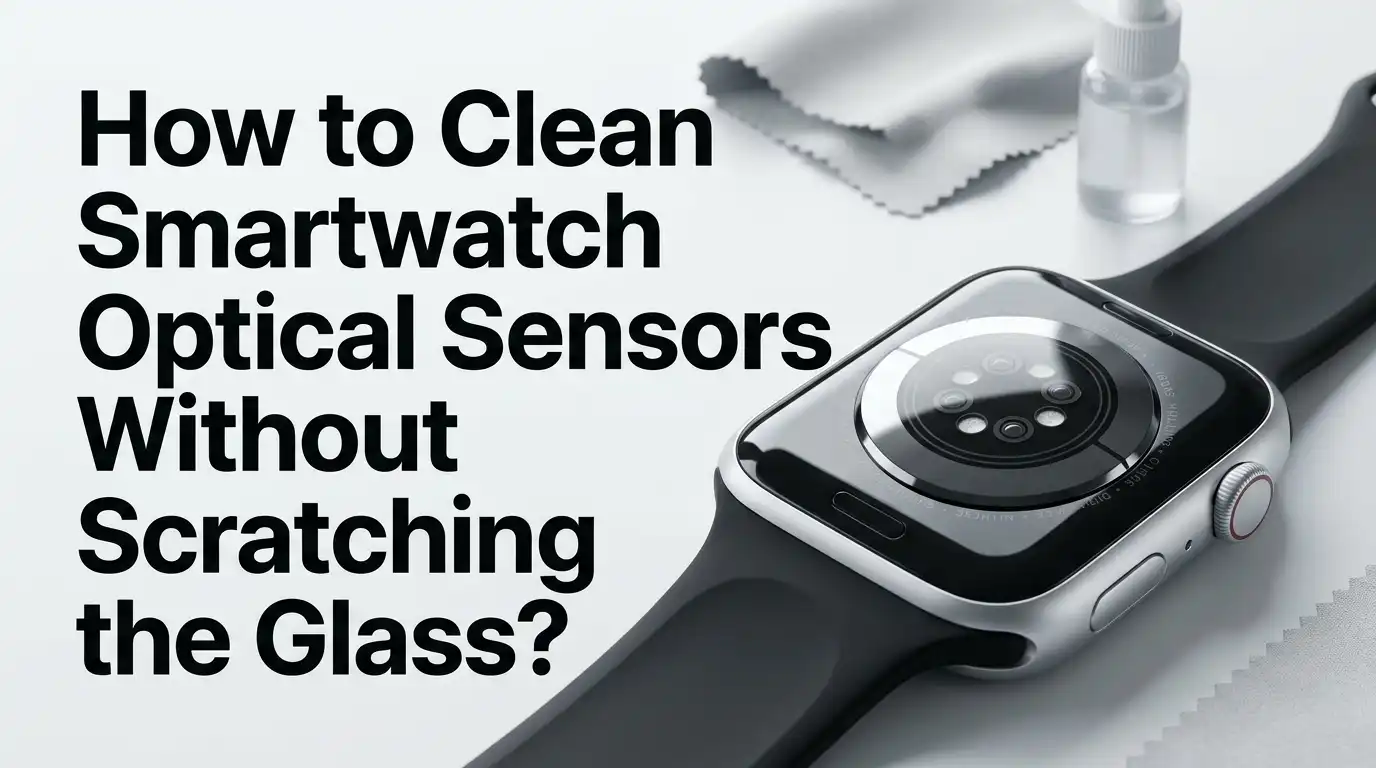
How to Clean Smartwatch Optical Sensors Without Scratching the Glass?
A dirty smartwatch sensor can do two bad things at once. It can give weak heart rate readings, and it can tempt you to scrub too hard. That is where scratches often start.
The good news is simple. You do not need harsh cleaners, hard brushes, or a long repair kit. In most cases, you need the right cloth, a little fresh water, careful pressure, and a few smart limits.
Brands like Apple, Samsung, Garmin, and Fitbit all stress a similar idea. Keep the watch clean and dry. Avoid abrasive materials. Avoid heavy force. Dry the sensor well after cleaning.
In a Nutshell
- Start with the gentlest method first. A dry, soft, lint free cloth is usually enough for light skin oil, dust, and fresh sweat. This method has the lowest scratch risk because it does not bring grit, liquid, or chemical residue into the process. If the glass still looks cloudy, move to a cloth that is only slightly damp with fresh water.
- Turn the watch off and take it off the charger before cleaning. This lowers the chance of moisture getting into the wrong place. It also stops you from pressing on an active sensor while you clean. If your band is leather or fabric, remove it first so it does not trap water or cleaner near the back glass.
- Keep sweat, sunscreen, lotion, and soap residue off the back sensor. These leave a film over the glass and can reduce sensor contact and reading quality. Apple says buildup on the back crystal can impact sensor function. Samsung says moisture or substance buildup on the back can lead to inaccurate heart rate readings. Fitbit also stresses that the sensor works best with clean contact against skin.
- Avoid the common scratch makers. Do not use paper towels, rough fabric, metal picks, abrasive paste, household cleaners, compressed air, or hard scrubbing. Apple and Samsung both warn against abrasives and other strong cleaning products. Fitbit also warns against scraping contacts with metal tools. Gentle beats force every time.
- Use alcohol only if your brand allows it. Apple says certain alcohol based wipes can be used gently on exterior surfaces. Samsung tells users to avoid soap and cleaning agents. That means the safe rule is clear. Check your brand first, and use water first for routine cleaning.
- Clean often, but keep it simple. A quick wipe after workouts and a more careful clean every few days is better than waiting for heavy grime to build up. Garmin says the watch should stay clean and dry. Fitbit says to clean the band and wrist regularly, especially after sweating. Small routine care is easier on the glass than deep scrubbing later.
Why optical sensors need careful cleaning
The optical sensor on the back of a smartwatch shines light into your skin and reads the return signal. That process works best when the glass is clean, dry, and sitting flat against your skin.
A thin layer of sweat, lotion, sunscreen, or soap can block part of that signal. Even if the watch still looks shiny, the sensor may read less well through that film.
Apple says buildup on the back crystal can affect sensor function. Samsung says moisture or substance buildup on the back can lead to slow charging and inaccurate heart rate readings. Fitbit also says heart rate sensors work best when they keep contact with skin.
The glass also needs care because it sits in a small curved area. Dirt can gather around the edge, and that is where people start digging with nails or tools. That is the risky moment. Clean sensor glass needs patience, not pressure. If you remove buildup early and often, you reduce both reading errors and the urge to scrub hard enough to scratch it.
The tools that are safe to use
The safest cleaning kit is small. Use a soft lint free cloth, fresh water, and good light. A microfiber cloth works well because it lifts oil and dust without rough fibers rubbing the glass.
For some watches, a soft bristle brush can help around speaker holes or outer edges, but it should stay gentle and should not grind grit across the sensor glass. Apple allows a soft bristle brush for speaker ports on some models.
Samsung says a moistened soft bristle toothbrush can help remove foreign material from stained areas. That does not mean you should scrub the optical glass itself like a sink. Use the brush near the sensor, not as your first move on the sensor.
Pros: These tools are easy to find, low cost, and low risk.
Cons: They work best on light or medium buildup. Old dried residue may need more than one pass with a damp cloth.
What to do before you touch the glass
Before cleaning, turn the watch off and remove it from the charger. This is one of the smartest steps because it lowers stress on the device and helps you notice where moisture might go.
If the band can trap water, remove it first. Apple gives these steps for Apple Watch, and they also help with most other smartwatches.
Next, check the sensor area under bright light. Look for dried salt from sweat, sunscreen film, lotion streaks, soap haze, or tiny grit stuck around the edge. If you see hard particles, do not rub right away.
Blow gently with your mouth if needed, or tip the watch so the particle falls away. Do not use compressed air. Apple and Samsung both warn against it. A single grain dragged across glass can leave a mark.
This small prep step saves more glass than any fancy cleaner.
Method one dry microfiber wipe
Start with the dry wipe method if the sensor only has light fingerprints, skin oil, or fresh sweat. Fold the cloth into a clean pad. Then wipe the sensor in small circles with very light pressure. Rotate the cloth as you go so you are always using a clean spot.
This method works because most daily grime is soft. You do not need liquid for every cleaning session. In fact, skipping liquid can lower the risk of leaving streaks or pushing moisture near openings.
Apple says a nonabrasive lint free cloth is the basic cleaning tool for Apple Watch. Garmin says to rinse with water or use a damp lint free cloth, which shows that soft fabric is a trusted first step in brand care advice.
Pros: Fast, safe, and simple. Cons: It may not remove dried lotion, sunscreen, or soap film. If the sensor still looks cloudy after one or two gentle passes, move to the damp cloth method instead of rubbing harder.
Method two damp cloth with fresh water
If the dry cloth does not clear the haze, use a cloth that is only slightly damp with fresh water. The word slightly matters. The cloth should feel cool, not wet enough to drip.
Wipe the sensor glass with short, light passes. Then use a dry part of the cloth to remove moisture right away. This step is one of the most brand friendly methods because Apple, Garmin, Samsung, and Fitbit all support cleaning with water in some form.
Apple allows a lightly dampened cloth with fresh water. Garmin says rinse with water or use a damp lint free cloth. Samsung says clean rubber bands with clean water and rinse after salt water exposure. Fitbit says fresh water is the main safe cleaning choice for regular care.
Pros: Very low scratch risk and great for sweat salt. Cons: It may take two or three passes on stubborn greasy film.
Method three alcohol wipe only when your brand allows it
Some people want a deeper clean, especially after gym sessions or shared use. This is where alcohol wipes enter the conversation, but you need brand care here.
Apple says you may gently wipe exterior surfaces with a 70 percent isopropyl alcohol wipe, a 75 percent ethyl alcohol wipe, or certain disinfecting wipes.
Samsung, on the other hand, warns users not to use soap, cleaning agents, abrasive materials, or compressed air on the watch. That tells us one important rule. Do not treat every smartwatch the same. Check the brand guide before using alcohol on the sensor area or case.
Pros: Good for oily film and surface disinfection on approved devices. Cons: Wrong use can dry some materials, leave residue, or go against maker advice. If you are unsure, skip this method and stay with fresh water and a lint free cloth.
How to remove sweat lotion and sunscreen film
The hardest grime is often invisible. Sweat dries into salt. Lotion leaves a slick coat. Sunscreen can create a cloudy layer that makes the sensor look clean from one angle and dull from another.
Apple says to keep Apple Watch clean and dry, and notes that lotion or sunscreen buildup on the back crystal can affect sensor function. Samsung also says dust, sweat, ink, oil, and chemical products such as cosmetics and sunscreen should not stay on the watch.
Fitbit tells users to keep bands and skin clean and dry, especially after workouts or sweating. That means routine cleaning is not only about looks. It is also about data quality and skin comfort.
The fix is simple. Use the damp cloth method first. If the film stays, repeat with a fresh section of cloth. Dry it well. Do not attack the haze with force. Repetition is safer than pressure.
How to clean around the sensor without scratching nearby glass
The sensor itself is usually smooth, but the ring around it can trap grime. That edge is where many people reach for a fingernail, a pin, or a metal tool. That is a mistake.
If you see debris near the rim, dampen a soft cloth and press it lightly against the area for a few seconds. This can soften dried buildup. Then wipe outward, away from the center, instead of grinding in small hard circles. If material stays in a nearby groove or speaker area, a very soft bristle brush can help on the outer area only.
Apple allows a soft bristle brush for certain speaker port cleaning, and Samsung allows a moistened soft bristle toothbrush for foreign materials. Fitbit warns against scraping with metal. That advice is gold.
Pros: Good for edges and trapped residue. Cons: Too much brushing can move grit across glass if you skip the softening step.
How to dry and test the sensor after cleaning
Drying matters almost as much as cleaning. A clean sensor that still has water streaks or trapped moisture can give poor readings or leave you thinking the watch has a fault.
After wiping, dry the sensor with a soft lint free cloth. Do not rush this part. Apple says the back crystal should be dried, and notes that some readings work properly only when watch and skin are entirely clean and dry.
Samsung says moisture or buildup on the back can cause inaccurate heart rate readings, and Garmin says the watch should be allowed to dry completely.
Once dry, wear the watch snug but not tight. Fitbit says heart rate sensors work best with skin contact, and the band should be loosened again after exercise. Clean glass plus good fit gives the best test.
Common mistakes that cause scratches or poor readings
Most scratches do not come from cleaning too often. They come from cleaning the wrong way. Paper towels can feel soft, but they can still be rougher than a microfiber cloth. Hard scrubbing can drag grit in a circle. Metal picks can chip coatings or mark the glass edge.
Apple says to avoid abrasive materials, compressed air, and many strong cleaning products. Samsung says do not use soap, cleaning agents, abrasive materials, or compressed air. Fitbit says do not scrape device contacts with metal. These warnings point to one clear truth. Household force is not smartwatch care.
Another common mistake is wearing the watch again before it is dry. Moisture plus a tight strap can hurt both sensor contact and skin comfort. Clean softly, dry fully, then wear.
How often you should clean the sensor
You do not need a deep clean every day, but you do need regular care. A quick wipe after exercise is one of the best habits you can build. Sweat dries fast, and dried salt is much harder to remove later.
Fitbit says to clean the band and wrist regularly, especially after working out, sweating, or washing your hands. Garmin says the watch should stay clean and dry. Samsung says clean your wrist and watch strap after exercising or sweating.
Apple says to clean the watch regularly to avoid lotion and sunscreen buildup on the back crystal. Put together, the message is easy. Little and often wins.
A good routine is this. Wipe after workouts. Use a damp cloth every few days if you wear the watch all day. Do a closer check after beach trips, sunscreen use, or heavy summer sweat.
When cleaning is not enough and you need repair
If the sensor glass looks cracked, deeply scratched, loose, or cloudy under the surface, cleaning will not fix it. The same goes for a watch that stays inaccurate after careful cleaning, drying, and proper fit.
First, rule out simple causes. Clean the sensor. Dry it well. Make sure the band is snug enough for contact. If readings still fail, the issue may be internal, not dirt.
Apple has repair support for Apple Watch service needs, and every major brand has a support path for device checks. Do not keep scrubbing a damaged sensor. That can make the problem worse and may spread a crack or damage a coating.
A repair is the right next step if the back glass is physically damaged, if skin irritation keeps returning, or if charging and sensor problems show up together.
Frequently Asked Questions
Can I use alcohol on every smartwatch sensor
No. Apple allows certain alcohol based wipes on the outside of approved watch surfaces, but Samsung tells users to avoid soap and cleaning agents on the watch. The safe answer is to check your brand guide first. If you are not sure, use a soft lint free cloth with fresh water and dry the watch well after cleaning.
Can I use a cotton swab on the sensor glass
You can, but it is usually not the best first choice. A soft lint free cloth is safer because it spreads pressure better and leaves fewer fibers behind. Fitbit mentions a cotton swab with rubbing alcohol for charging cable pins, which is a different part. For the sensor glass, stick to cloth first.
Why does my watch still give weak heart rate readings after cleaning
The sensor may be clean, but the fit may still be off. Fitbit says the sensor works best with skin contact. Apple says some readings need the watch and skin to be entirely clean and dry. Wear the watch snug, move it slightly higher during workouts if needed, and test again after the sensor is fully dry.
Is it safe to clean the watch right after a workout
Yes, and it is a smart habit. Sweat and salt are easier to remove before they dry. Samsung, Fitbit, Garmin, and Apple all stress regular cleaning and drying after sweat or water exposure. A quick gentle wipe now can save you from a hard scrub later.

Hi, I’m Lucy Jones, a dedicated watch enthusiast and reviewer. I spend my time hunting down, testing, and evaluating the most intriguing wristwatches on the market. My goal is to guide you through the overwhelming choices with honest, hands-on insights into every timepiece.