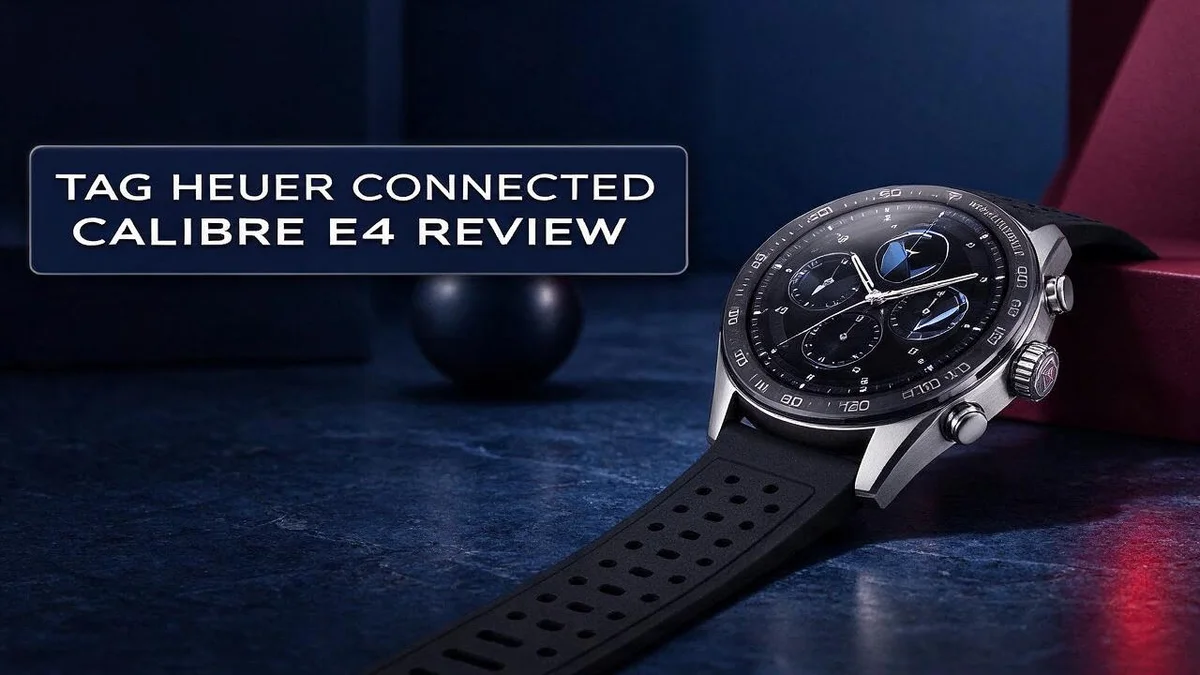
Tag Heuer Connected Calibre E4 Review: Worth It in 2026?
Looking for a smartwatch that looks like a traditional timepiece? The Tag Heuer Connected Calibre E4 might be the one. It pairs classic watch design with modern smart features.
The 45 mm steel case feels comfortable on the wrist. Inside, you get a long list of sensors, including GPS, heart rate tracking, NFC, and a barometer.
Under the hood, it runs Wear OS 2 on a Qualcomm Snapdragon 4100+ chip. Bluetooth 5.0 keeps it connected to your phone.
Battery life is a mixed story. Early reviewers criticized it, but the 45 mm model reportedly lasts 30% longer per charge than the original Connected watches.
In this review, we look at design, performance, battery, and software. We also check whether this watch deserves a spot on your wrist.
In a Nutshell
-
Full sensor suite: The watch packs a heart rate sensor, GPS, a barometer, a compass, and an NFC chip into its case. You get plenty of tracking tools in one device.
-
Smart tools for daily life: The NFC chip lets you complete quick tap actions. The built-in microphone and vibration motor also support calls and alerts.
-
Roomy 8 GB storage: The watch stores 8 GB of data. You can keep apps, music, and other files on the watch itself.
-
Better battery on the 45 mm model: Reports say it lasts 30% longer per charge than the original Connected watches. One reviewer got a full day with five hours of active use.
-
Software and support concerns: Some owners report software bugs and slow help from customer support. Check recent updates before you buy.
-
Strong rivals to compare: You can also look at the Garmin Marq Aviator, the Michael Kors Gen 6 Camille, and the Lenovo Watch X Plus. Each one offers a different mix of style and features.
Design and Build Quality

Last update on 2026-11-12 / Affiliate links / Images from Amazon Product Advertising API
The Tag Heuer Connected Calibre E4 starts with a classic mindset. Its overall look feels like a traditional Swiss timepiece. Many people will not guess it is a smartwatch at first glance.
The visual finish is a major highlight. Reviewers describe the look as stunning, and the watch carries a strong horological feel. Small details help it stand out from typical sport wearables.
The steel strap adds a polished touch. It pairs well with office clothes and formal outfits. You can wear it to meetings, dinners, or a quick workout without feeling out of place.
Build quality feels solid in everyday use. The watch is meant to look premium over time. Long term appearance also depends on how you care for it.
Weight plays a role in comfort too. A metal build usually feels heavier than a plastic sports band. Most wearers adjust to it within a few days.
The round dial also deserves attention. Its layout keeps the time easy to check at a glance. Many owners appreciate that the face looks clean and uncluttered.
Think about daily wear before you buy. Try the watch on for a full day. Notice how the case sits on your wrist during sleep, exercise, and work.
Who suits this design? Fans of traditional watches will feel right at home. People who prefer a sporty fitness tracker may want a lighter model instead.
Overall, this watch aims high in design. Its look and feel suit people who value craftsmanship. It balances classic style with modern technology in one piece.
Performance and Processing
Performance decides how a smartwatch feels after the first week. The Tag Heuer Connected Calibre E4 handles everyday tasks at a calm pace. Checking alerts, setting timers, and opening apps should feel quick on most days.
Most of the work runs through Wear OS 2. This platform is an older version of Google’s smartwatch system. Software updates matter more here than raw speed.
Check the update history before you commit. Smooth scrolling depends on how you manage your apps. Remove apps you never use to keep the interface responsive.
Simple watch faces also reduce the load on the processor. Animated faces ask more from the chip, so plain designs often feel snappier.
Processing load and battery life are linked. Heavy apps and frequent GPS tracking drain power faster. Every background task asks the processor and battery for help.
Software glitches can slow the interface at random times. A quick restart often clears minor lag. Restart the watch after updates and watch for slow menus.
Notifications appear fast when the processor keeps pace. Quick glances help you stay on track during busy days. Wrist raise responses also matter for daily comfort.
Fitness tracking runs alongside every other task. The heart rate sensor and GPS need steady processing power. Long workouts put extra strain on the system.
Keep screen brightness moderate to ease that load. Turn off features you do not need. Phone pairing also affects how fast the watch responds.
A stable connection reduces delays when you read messages. Keep both devices updated for the best results. Speed alone will not fix battery concerns.
Overall, the performance feels solid for daily wear. Spend a few days testing menus, apps, and voice replies. Time with the watch tells you more than any spec sheet. Good performance makes daily use feel effortless.
Battery Life and Charging
Battery life often decides whether a smartwatch fits your daily routine. The Tag Heuer Connected Calibre E4 uses a 440 mAh battery to power a lot of sensors. Many first impressions say the battery trails rival watches.
One reviewer reports a full day with five hours of active use. That result suggests the watch can handle a normal day. Your own habits will shape the outcome, though.
Start with your daily pattern. If you wear the watch to bed for sleep tracking, you need a charge window each morning. If you skip sleep tracking, you gain more time between charges.
Pick a charging spot you use every day. Keep the charger on your nightstand or desk. A quick top up while you shower or get dressed adds useful power.
Check the battery level before a long walk or a trip. This habit prevents surprises when you need the watch most. It also helps you decide whether to charge early.
When the battery runs low, turn on any power saving options. Dim the screen and close apps you do not use. These small steps stretch each charge without changing your routine much.
Pack a compact power bank for travel days. An extra charge helps when you cannot reach an outlet. Bring the charging cable too, because a lost cable can leave you stuck.
Battery health changes over time. Rechargeable batteries lose some capacity after many charge cycles. Expect shorter runs after a year or two, and plan for that from the start.
Try the watch for a few days before you decide. Track how long it lasts during your normal activities. That real world test tells you more than any spec sheet can.
Top 3 Alternatives
Samsung Galaxy Watch

Last update on 2026-11-12 / Affiliate links / Images from Amazon Product Advertising API
The Samsung Galaxy Watch offers a bright display and a smooth touch interface.
It works well with Android phones, so setup feels easy.
You can track sleep, heart rate, and daily steps all day long. Many people enjoy its clean design and quick menus. It suits users who want a stylish smartwatch for everyday use.
Garmin Venu 3


Last update on 2026-11-12 / Affiliate links / Images from Amazon Product Advertising API
The Garmin Venu 3 focuses on health and fitness from the start.
It offers a vivid AMOLED screen that stays easy to read outdoors. Battery life lasts for many days, so you can charge less often.
You get detailed workout modes, sleep insights, and stress tracking. Runners and gym fans often choose this model for training. It fits people who train often and want clear data.
Apple Watch SE

Last update on 2026-11-13 / Affiliate links / Images from Amazon Product Advertising API
The Apple Watch SE is a great pick for iPhone users.
It includes helpful safety features like fall detection and crash detection. You can receive calls, messages, and notifications right on your wrist.
Fitness tracking covers workouts, heart rate, and activity rings. Setup is quick once you pair it with your phone. It works best for anyone who wants a simple, reliable watch.
Health and Fitness Tracking
Health tracking on the Calibre E4 goes beyond simple step counts. The watch includes a heart rate sensor that reads your pulse from your wrist.
A snug fit matters most here. Loose wear can block the sensor and create odd readings.
Motion sensors handle much of the daily activity count. The accelerometer and gyroscope detect walking, running, and arm movement.
The barometer adds a useful layer for hikers. It measures air pressure, which helps estimate elevation gain on climbs. It may also help track floors during stair sessions.
Route tracking gets easier with the compass and GPS working together. You can plan walks and check your direction without pulling out a phone.
The haptic engine gives gentle prompts to move. Reminders after long periods of sitting feel more discreet than loud alerts.
Wear OS opens the door to many health apps. You can download fitness, meditation, and workout apps from the app store.
Switch between apps to match your routine. A running app suits weekend jogs, while a simple breathing app fits busy workdays.
Data syncs through a Bluetooth connection with your phone. Keep your phone nearby during workouts so your health data saves properly.
Athletes who need deep training data may prefer a dedicated Garmin fitness watch. The Calibre E4 suits someone who wants light fitness data inside a classic look.
Test the heart rate readings before you rely on them. Compare a few readings against a chest strap or a manual pulse check during your usual workouts.
Your health goals should guide the choice. Track what matters most to you, and the Calibre E4 can support that daily routine.
Software and Customer Support
The Calibre E4 launched with Wear OS 2. This system shapes how the watch works every day. Software is the first thing many owners judge. Good support makes a big difference.
Wear OS opens access to the Google Play Store. You can install apps straight to your wrist. Check that each app supports Wear OS 2 before you download it. Some apps may run slowly on older systems.
Set up your account with care. Link the watch to a Google account during setup. Review privacy settings and turn off permissions you do not need.
Some owners report software and support problems. Some issues may link to older software. Others may come from pairing errors or app conflicts. Knowing this helps you plan ahead.
Keep a record of every problem. Write down the date, the error message, and the steps that led to it. Screenshots help support teams act faster.
Start with the official TAG Heuer support pages. They list setup guides, troubleshooting steps, and warranty details. Search these pages before you contact a representative.
Contact options can vary by region. Check your country page for phone, email, or chat choices. Keep your proof of purchase ready for warranty checks.
Back up your data before a reset. A factory reset erases settings and paired apps. Restore from a backup when possible. This step saves time during major fixes.
Community forums offer another source of help. Other owners often share fixes that worked for them. Read several answers before you try a change. Some advice may apply only to certain software versions.
Choose a retailer with a clear return policy. That gives you time to test the software. Ask the seller about support before you buy.
Strong software and reliable support shape long term satisfaction. Contact support early if problems continue. Quick action often prevents bigger headaches.
Pros and Cons
Pros
- Classic horological design that looks stunning on the wrist
- Comfortable fit that feels easy to wear all day
- Intuitive features make everyday use simple
- Customizable connectivity lets you set up what you need
- The 45 mm model lasts longer per charge than the original Connected watches
Cons
- Battery life trails several rivals in first impressions
- Some owners report software issues
- Support problems appear in some user reports
Who Should Buy It
If you dress up for work, this watch may suit you well. It pairs nicely with a suit and still delivers alerts during a busy day. Many people want that mix of polish and function.
Watch lovers who collect timepieces should also take a look. You get smart features without losing the feel of a fine wristwatch. It works for a dinner out as easily as a morning run. Many people enjoy wearing a watch that looks at home in any setting.
Runners who like to leave their phones at home can use the GPS sensor to track pace and distance. This frees you from carrying a phone on every run.
Buyers who want a bigger face will enjoy the wide case. The large dial gives plenty of room for clear reading on the go.
Students and new professionals may also like the mix of style and function. Many want one device for class, work, and weekend plans. This model handles that role well.
Gift shoppers can find this watch a thoughtful pick for a partner or friend who appreciates classic design. Choose a store that offers a gift receipt, just in case.
Travelers who hate charging should think twice. Long trips with little access to power call for a rival with stronger endurance. Pack a charger if you plan to wear it on a long journey.
If you want a sporty look with strong outdoor tools, the Garmin Marq Aviator deserves a look. Shoppers who prefer a design built around fashion may like the Michael Kors Gen 6 Camille from Fossil. Those seeking a simpler everyday device could consider the Lenovo Watch X Plus.
Overall, this watch fits people who value style first. Try it on in a store if you can. See how the size feels on your wrist before you commit. Read owner reviews with an open mind, and weigh both praise and complaints before you decide.
Final Verdict
The Calibre E4 earns a solid place on the shortlist. It suits people who want a classic watch that also handles smart tasks. Style leads the way here, and function follows close behind.
This watch feels right for daily life at the office, at dinner, and on short trips. Its face keeps a sharp look with a suit or a simple shirt. Few smartwatches manage that balance so neatly.
Still, the right choice depends on your priorities. If battery life sits at the top of your list, look at rivals first. Your charging habits matter here. A nightly charge fits this watch best.
Software quality adds another layer to the decision. Updates and fixes matter more than they seem at first. Plan for that risk before you commit.
A smart buyer tests the watch early. Set up your key apps in the first few days. Check that every feature you need works well. Keep the receipt and warranty papers close by.
Some shoppers may want a more specialized device. Heavy athletes and sleep trackers often prefer a watch built around those goals. Still, this model covers everyday health and fitness needs nicely.
Think about your daily routine before you decide. A busy schedule of meetings, errands, and workouts tests any watch. This model handles light to moderate use with ease.
Your final choice should match your needs, not hype. Compare features, read recent feedback, and test the watch in a store if possible. A confident decision leads to a happier owner.
In short, the Calibre E4 offers a polished look with useful smart features. It may not win every test. Yet for the right owner, it feels like a watch worth wearing every day.
Overall, this watch suits buyers who put style first. It offers a striking design and comfortable wear. Pair it with a steady charging routine and a clear return plan, and it can serve you well.
Frequently Asked Questions
What sensors does the Calibre E4 include?
The watch packs many sensors into its 45 mm case. You get an accelerometer, gyroscope, barometer, compass, and ambient light sensor. It also includes GPS, NFC, and a microphone. This mix covers most daily tracking needs.
Does the Calibre E4 track heart rate?
Yes, it includes a heart rate sensor that uses PPG light readings. Wear the watch snug on your wrist for the most reliable results. You can check your heart rate during workouts or throughout the day.
What chip and software run the watch?
The watch runs Wear OS 2 at launch. A Qualcomm Snapdragon 4100+ chip handles the work. It also uses Bluetooth 5.0, so it stays connected to your phone.
What storage does the watch offer?
The listing shows 8 GB of memory storage. That space holds your apps and watch faces. Keep only the apps you use often to leave room for new downloads.

Hi, I’m Lucy Jones, a dedicated watch enthusiast and reviewer. I spend my time hunting down, testing, and evaluating the most intriguing wristwatches on the market. My goal is to guide you through the overwhelming choices with honest, hands-on insights into every timepiece.