Apple Dive Watch Review 2026: Worth Diving?
Apple never built a dedicated dive computer. Apple built a rugged smartwatch and then let dive software take over. That small difference explains almost everything divers love and hate about this watch.
I have taken the Apple Watch Ultra line on warm reef dives, cold quarry dives, and a few lazy snorkel sessions. The results surprised me in both directions. The screen is the best I have used underwater. The subscription model still stings.
This review covers the Apple Watch Ultra 4, the still excellent Ultra 3, the Oceanic+ app, real battery numbers, and the honest limits you should know before you hand over $799. If you dive twice a year on vacation, this watch may be perfect. If you dive every weekend on trimix, it will frustrate you fast.
Key Takeaways
- The hardware is genuinely dive rated. Apple Watch Ultra 3 and Ultra 4 both meet EN13319 for recreational scuba to 40 meters, with depth accuracy of plus or minus 1 meter. Water resistance sits at 100 meters under ISO 22810:2010.
- The watch is not a dive computer out of the box. You must install a third party app. Oceanic+ is the main option, and the scuba tier needs a paid subscription. Budget roughly $10 per month or around $80 per year on top of the watch price.
- The display beats most dedicated dive computers. The 3000 nit sapphire screen stays readable in murky green water and on night dives. Dive buddies will peek at your wrist during safety stops.
- Battery life is fine for two or three dives per day, but you will charge nightly on a liveaboard. Ultra 4 improves this with up to 50 hours of normal use.
- It stops at 40 meters. Go deeper and the depth readings cut out. Technical divers should look elsewhere. No air integration exists on the Apple side either.
- Always dive with a backup computer. This is a great second computer and a decent primary one for relaxed recreational diving.
Apple Watch Ultra 4 Review


Last update on 2026-11-11 / Affiliate links / Images from Amazon Product Advertising API
Apple launched the Ultra 4 on September 18, 2026 at $799. The dive story stays the same as Ultra 3, which is good news and slightly boring news.
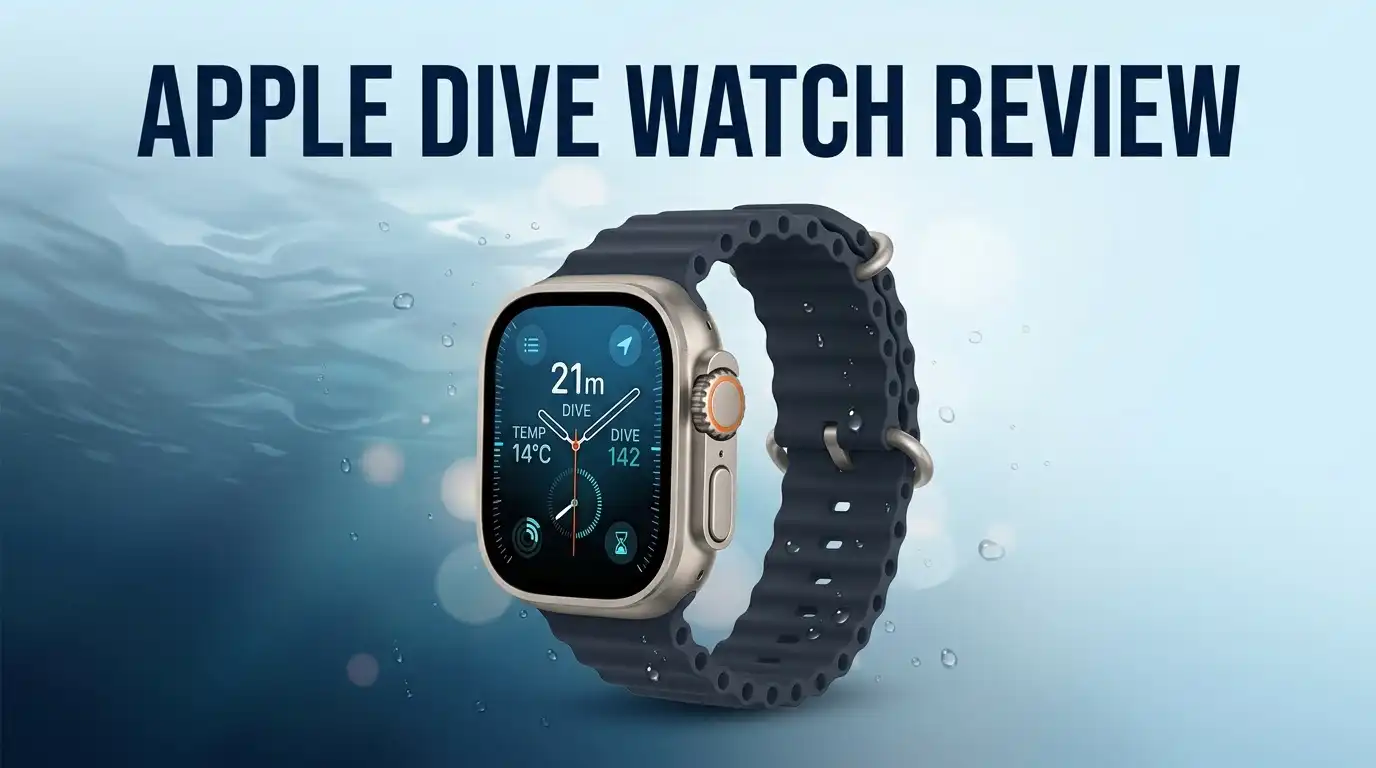
The case remains 49mm Grade 5 titanium with a flat sapphire front. Apple keeps the EN13319 recreational scuba rating to 40 meters and the 100 meter water resistance figure. The depth gauge, water temperature sensor, and compass all carry over.
What changed sits above the waterline. The new S11 chip powers a Health Sensing System with more accurate heart rate readings. Battery life climbs to roughly 50 hours of normal use and 45 hours of outdoor workout tracking. Satellite messaging returns, which matters on remote boat trips with no signal.
For divers, the honest summary is this: Ultra 4 is a better watch, not a better dive computer. You get longer battery and smarter software, but the underwater feature set is unchanged. If diving is your only reason to upgrade, save your money.
The Unboxing Experience
The box is small, white, and fiber based. Apple removed plastic wrap entirely, so you slide the sleeve off and lift the lid with almost no resistance.
Inside sits the watch in a molded tray, already fitted to whichever band you chose. My unit came with the translucent gray Ocean Band, which feels thicker and grippier than the standard Sport Band. Under the tray you find the magnetic fast charging cable and a thin paper booklet. No power brick comes included, which still annoys people in 2026.
The first thing you notice is weight. At roughly 62 grams the Ultra feels dense but not heavy. Titanium warms to your skin quickly.
Setup takes about five minutes. Hold the watch near your iPhone, scan the swirl animation, and restore from backup. Then comes the part Apple does not mention on the box: you still need to download Oceanic+ separately and pay for it before this watch can dive.
Design And Build Quality Underwater
Apple designed the Ultra for gloved hands, and it shows. The Digital Crown sits proud of the case with deep grooves, so you can turn it with 5mm neoprene gloves. The customizable Action button gives you a physical way to start a dive without touching glass.
Touchscreens stop working underwater. Water pressure confuses the capacitive layer. Oceanic+ handles this by disabling touch input at depth and routing everything through the crown and buttons. It works, though it takes one or two dives to build muscle memory.
The raised sapphire lip protects the screen from tank bangs and ladder scrapes. After roughly forty dives my crystal stayed unmarked, but the titanium case picked up faint scuffs near the edges.
Band choice matters more than people expect. The Ocean Band includes an extension for wetsuit sleeves and locks tight. Alpine Loop and Trail Loop absorb salt water and dry slowly, so rinse them properly after every trip.
Top 3 Alternative for Apple Watch Ultra 4

Last update on 2026-11-11 / Affiliate links / Images from Amazon Product Advertising API
Garmin Descent Mk3i

Last update on 2026-11-11 / Affiliate links / Images from Amazon Product Advertising API
Suunto Ocean

Last update on 2026-11-11 / Affiliate links / Images from Amazon Product Advertising API
Garmin Descent G1 Solar
Apple Watch Ultra 3 Review

Last update on 2026-11-11 / Affiliate links / Images from Amazon Product Advertising API
The Ultra 3 launched in 2025 and remains the smarter buy for most divers in 2026. Retailers regularly discount it to around $699, and sale prices dip lower.
Specs read almost identically to Ultra 4 for underwater use. You get the same 49mm titanium case, the same 3000 nit always on display, the same depth gauge, and the same EN13319 rating to 40 meters with plus or minus 1 meter accuracy. Apple quotes 42 hours of normal use and 72 hours in Low Power Mode.
The S10 chip handles Oceanic+ without stutter. I never saw lag during a dive, even when switching between depth, compass, and no decompression limit screens.
What you give up: the newer health sensors, readiness scoring, and the extra eight hours of battery. None of those change your dive experience.
Ultra 3 also supports satellite messaging and the same MIL STD 810H ruggedness testing. For a vacation diver, the savings buy several years of Oceanic+ subscription.
The Depth App And The 40 Meter Limit
Apple includes a free Depth app on every Ultra model. It launches automatically at 1 meter and shows current depth, maximum depth, water temperature, and elapsed time.
That app is a gauge, not a dive computer. It does not calculate nitrogen loading, no decompression limits, or ascent rate warnings. Snorkelers and freedivers get real value from it. Scuba divers do not.
The 40 meter ceiling is a hard stop. Apple certifies the depth sensor to EN13319 only to that depth. Beyond it, readings become unreliable and Oceanic+ switches into gauge mode or stops updating depth entirely.
Some divers report the watch surviving deeper dives. People have taken it past 45 meters and even to 130 feet plus in the Blue Hole with the app still logging. That does not make it safe or covered by warranty.
Recreational limits sit at 40 meters anyway for most agencies. If your diving lives inside that range, this restriction never bothers you.
Oceanic+ Turns It Into A Real Dive Computer
Oceanic+ is the app that makes the magic happen. Huish Outdoors built it with Apple, and it behaves like a proper recreational dive computer.
You get the Bühlmann ZHL 16C algorithm with gradient factors, no decompression limits, ascent rate alarms, safety stop countdowns, nitrox support up to 40 percent, surface interval tracking, and no fly time. Haptic alerts buzz your wrist for violations, which you feel even through a wetsuit.
Setup happens on your iPhone, which is a genuine advantage. Configuring conservatism on a tiny dive computer screen is painful. Doing it on a phone takes seconds.
The logbook is excellent. Dives sync instantly with GPS entry and exit points, dive site maps, gear locker entries, and photo attachments. Apple Fitness rings credit your dive time too.
Newer versions added marine forecasts, a dive planner, and fish recognition. Rival apps like DIVEROUT, Mares, and Diving Standard now compete, so shop around before committing.
Oceanic+ Subscription Costs Explained
Here is where many divers hesitate. The scuba features sit behind a paywall.
The basic tier is free and covers depth, elapsed time, GPS location, compass, and simple logging. Snorkeling costs roughly $2 to $3 per month. Freediving runs around $5 to $7 per month. Full scuba access lands near $10 per month or about $80 per year, with a daily pass for occasional divers and a family sharing option.
Do the math over five years. Annual subscriptions add roughly $400 on top of an $800 watch. A Garmin Descent G1 Solar costs less than that total and never charges you again.
The daily pass changes the picture for vacation divers. One week in Cozumel might cost you $20 in app fees. That is reasonable.
Your logbook stays accessible even after a subscription lapses, which is a fair policy. Still, paying rent on safety software feels wrong to plenty of experienced divers, and their frustration is legitimate.
Screen Readability At Depth
This is where Apple embarrasses the competition. The 3000 nit LTPO OLED display is simply brighter and sharper than any dedicated dive computer screen I have used.
In 3 meter visibility green water, I could read my depth at a glance. On night dives the screen dims low enough not to ruin your night vision. Under Caribbean midday sun at a safety stop, it stays perfectly legible.
Oceanic+ uses large white numbers on black with color coded warnings. Red means ascent violation. Yellow means caution. The layout stays uncluttered, showing depth, time, and no decompression limit as the primary trio.
The always on mode keeps data visible without a wrist raise, which matters when your arms are busy with a camera or reel.
Dive masters notice it. More than one has checked my wrist for the group safety stop timer instead of their own computer. That says something about the display quality.
Battery Life On Dive Days
Diving drains an Apple Watch faster than normal use. The screen runs bright, GPS fires at entry and exit, and the depth sensor polls constantly.
My real numbers from a three dive day: Ultra 3 started at 100 percent and finished around 55 percent after three dives totaling 150 minutes underwater, plus normal notifications. Ultra 4 finished nearer 65 percent under similar conditions.
Oceanic+ warns you if the battery drops below 30 percent before a dive. Take that warning seriously.
Fast charging saves the day. Fifteen minutes on the magnetic puck buys roughly 12 hours of normal use. A quick top up during your surface interval works well on boats with power.
On a liveaboard doing five dives daily, you will charge every night without exception. A dedicated dive computer like the Descent G1 Solar runs for weeks. That is the trade you accept for a smartwatch.
What The Apple Dive Watch Does Not Do Well
Honest reviews list the failures. Here are mine.
No air integration exists. Garmin and Suunto pair with tank transmitters to show remaining pressure and gas time. Apple offers nothing. You still read a mechanical or wireless gauge.
No technical diving support. No trimix, no closed circuit rebreather mode, no gas switching beyond nitrox, no decompression planning past recreational limits.
The app occasionally misbehaves. Users report dives ending prematurely when they surface briefly between descents. A few report the app failing to start or logging incomplete profiles. Rare, but real.
Cold water hurts. Apple lists a dive operating temperature range down to 0 degrees Celsius. Battery performance drops sharply in cold quarries.
No compass tracking during scuba mode in some versions. Navigation divers find this limiting.
Screen fogging has been reported by a small number of owners after repeated dives. Water resistance is not permanent and degrades with age, pressure cycles, and gasket wear.
Pros And Cons
Here is the balanced scorecard.
Pros
- Best underwater display available, with 3000 nits, sapphire glass, and excellent contrast in low visibility water.
- Genuine EN13319 certification to 40 meters with plus or minus 1 meter depth accuracy.
- Oceanic+ delivers a proper Bühlmann ZHL 16C algorithm, safety stops, ascent alerts, and nitrox support.
- Outstanding logbook with automatic GPS dive site tagging, photo attachments, and instant iPhone sync.
- It works as a full smartwatch on dry land, so you carry one device instead of two.
- Titanium build survives boat life, and the Action button works with thick gloves.
Cons
- The subscription never ends. Roughly $80 per year for scuba access adds up quickly over the life of the watch.
- No air integration and no tank pressure transmitter support at all.
- Hard 40 meter ceiling rules out technical and deep diving.
- Battery requires nightly charging on multi dive trips.
- Touchscreen stops working underwater, forcing button and crown navigation.
- Occasional app bugs including premature dive endings and failed session starts.
Who Should Buy This Watch
The Apple dive watch suits a specific diver, and it suits that person brilliantly.
Buy it if you already use an iPhone daily, dive a few times per year on vacation, stay inside recreational depths, and want one device that tracks running, sleep, and reef dives equally well.
Buy it as a backup computer if you own a Shearwater or Garmin primary. Divers do this constantly, and depth readings usually match within a meter.
Skip it if you dive technical profiles, use a rebreather, or need air integration. Skip it if subscription fees irritate you on principle. Skip it if you dive twenty times per month, because charging becomes a chore.
New divers should think carefully. Learning on a subscription app means losing your dive computer if payment fails. A Descent G1 Solar or Suunto Zoop never expires.
Match the tool to the diving you actually do.
Final Verdict
The Apple Watch Ultra 4 earns a solid recommendation with clear conditions attached.
As a recreational dive computer, it performs above expectations. The algorithm is proven, the alerts are clear, the display is class leading, and the logbook is the best in the industry. Thousands of divers now use it as their only computer without incident.
As a value proposition, it is complicated. You pay $799 for the watch and keep paying for the software. Dedicated computers cost less over five years and dive deeper.
My honest score sits around 8 out of 10 for recreational vacation divers and closer to 5 out of 10 for serious enthusiasts.
Ultra 3 at a discount remains the smartest purchase in the lineup for divers specifically. The Ultra 4 upgrades happen on land, not underwater.
Whatever you choose, always dive with a redundant computer or gauge. No wrist device, Apple or otherwise, replaces good training and a reliable buddy.
Frequently Asked Questions
Is the Apple Watch Ultra a real dive computer?
Yes, with a third party app installed. The hardware carries EN13319 certification for recreational scuba to 40 meters. Oceanic+ supplies the decompression algorithm, safety stop timers, ascent rate alarms, and nitrox settings that make it function as a genuine dive computer.
How deep can the Apple Watch Ultra 4 go?
Apple certifies recreational scuba diving to 40 meters or 130 feet. Water resistance is rated to 100 meters under ISO 22810:2010, but depth readings and dive functions are only guaranteed accurate to 40 meters.
Do I need to pay for Oceanic+?
Yes for scuba. The free tier covers depth, elapsed time, and basic logging. Scuba features cost roughly $10 monthly or about $80 annually, with daily passes available for occasional divers and a family sharing plan.
Can I freedive with an Apple Watch Ultra?
Yes. Oceanic+ offers a freediving tier at around $5 to $7 per month. It tracks depth, dive time, surface intervals, and recovery. Freedivers going very deep should still use a dedicated freediving computer.
Does the touchscreen work underwater?
No. Water pressure disables the capacitive touchscreen. You control everything with the Digital Crown, the Action button, and the side button, all of which work fine with dive gloves.
Should I buy Ultra 3 or Ultra 4 for diving?
Buy Ultra 3 if you find it discounted. The dive capabilities are identical. Ultra 4 adds better heart rate sensing, longer battery life, and newer software features, none of which change underwater performance.

Hi, I’m Lucy Jones, a dedicated watch enthusiast and reviewer. I spend my time hunting down, testing, and evaluating the most intriguing wristwatches on the market. My goal is to guide you through the overwhelming choices with honest, hands-on insights into every timepiece.