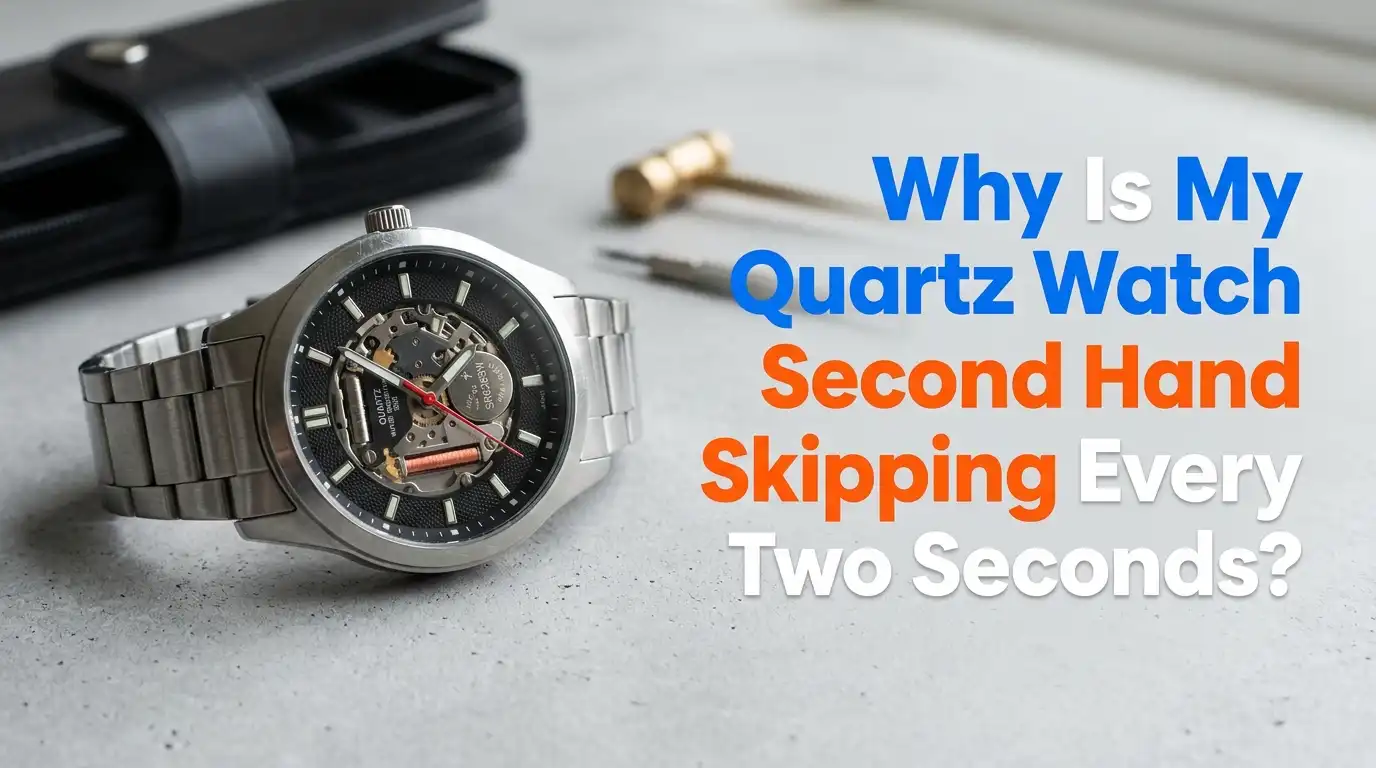
Why Is My Quartz Watch Second Hand Skipping Every Two Seconds?
Your watch ticks along all day. Then one morning you glance down and notice something odd. The second hand jumps two seconds at a time instead of moving once per second.
You watch it again to be sure. Yes, it pauses, then leaps forward two marks, then pauses again. Is your watch broken? Should you panic?
Take a deep breath. This is one of the most common quartz watch behaviors people notice. In most cases, it is not a sign of damage. It is actually your watch trying to tell you something useful. The fix is usually quick, cheap, and easy.
Key Takeaways
- The most common cause is a dying battery. The two second skip is a built in warning called the End of Life (EOL) indicator. Your watch is asking for a fresh battery.
- This feature is normal and intentional. Many quartz movements from Seiko, Citizen, and Swiss brands use it. It saves power while keeping accurate time during the warning period.
- The simplest fix is a battery replacement. A new silver oxide battery usually solves the problem in minutes and costs very little.
- Not every watch has this feature. Some cheaper watches just stop instead. If yours skips, it likely has a smarter movement.
- Other rare causes exist too. These include a stuck movement, corrosion, magnetism, or a faulty circuit. We cover all of them below.
- You can often fix this at home. A few basic tools and care will do the job, though some cases need a professional.
What the Two Second Skip Actually Means
When your second hand jumps two seconds at a time, your watch is sending a clear message. This behavior is called the End of Life indicator, often shortened to EOL. It is a smart feature built into many quartz movements.
Here is the simple version. Your battery voltage has dropped below a safe level. Instead of letting the watch quietly die, the movement changes how the hand moves. It jumps two seconds at a time to grab your attention. You cannot miss it once you know what to look for.
The clever part is that your watch still keeps perfect time during this stage. It does not run slow or fast. It simply groups its movements to use less power. This buys you days or even weeks to act before the watch stops completely.
How the End of Life Indicator Works Inside Your Watch
To understand the skip, you need to know how a quartz watch moves its hands. A tiny part called a stepper motor pushes the second hand forward. Normally it fires once every second. Each pulse uses a small burst of battery power.
When voltage drops too low, firing every second becomes risky. The motor might fail mid step. So the movement saves energy. It fires one stronger pulse every two seconds and moves the hand two marks at once. This is the EOL warning in action.
Most movements trigger this warning around 1.3 volts. A healthy silver oxide battery sits near 1.55 volts. So the gap tells the chip the battery is fading. The watch then enters power saving mode. This design is brilliant because it warns you before total failure instead of after.
Step by Step: How to Confirm It Is the Battery
Before you buy anything, confirm the cause. This takes only a minute and saves you from guessing. Follow these simple steps.
First, watch the second hand for a full minute. Count the jumps. If it skips exactly two seconds each time in a steady rhythm, that points strongly to the EOL indicator.
Second, check the time. Set your watch against your phone clock and wait an hour. If it still shows the correct time, the movement works fine and only the battery is weak. This is good news.
Third, note when the skipping started. A sudden change after years of normal ticking almost always means a dead battery. A new watch that skips from day one may have a weak factory battery. Either way, the next step is usage clear: replace the battery and watch the result.
Solution One: Replacing the Battery Yourself
This is the most common fix and the cheapest. Many people handle it at home with a small kit. You need a case knife or case back tool, plastic tweezers, and a fresh battery of the correct size.
Here are the basic steps. Open the case back carefully. Note how the old battery sits before you remove it. Lift the retaining clip if there is one. Slide out the old cell. Drop in the new one with the positive side facing the same way. Close the case firmly.
Always handle the battery with plastic tweezers, not your fingers. Skin oils shorten battery life and can cause corrosion.
Pros: It is fast, cheap, and satisfying. Cons: You risk scratching the case, breaking the seal, or losing the water resistance. Snap back cases are easy. Screw down and front loader cases are harder.
Solution Two: Visiting a Professional Watch Repairer
If you feel unsure, a pro is the safe choice. Jewelers, watch shops, and repair counters change batteries every day. The job usually takes a few minutes while you wait.
A good technician does more than swap the cell. They check the gasket, clean the contacts, and test water resistance if needed. They also dispose of the old battery properly. This care matters for nicer or water resistant watches.
Costs vary by region and watch type. Simple battery changes often run from a few dollars to around fifteen. Water resistant or luxury watches cost more because they need pressure testing and special seals.
Pros: Less risk, proper tools, and a sealed case. Cons: It costs more than doing it yourself, and you may wait in line. For an heirloom or expensive watch, the small fee is worth the peace of mind.
Choosing the Right Battery: Silver Oxide vs Lithium
Not all watch batteries are equal. Picking the right type keeps your watch running well and prevents new problems. The two main choices are silver oxide and lithium.
Silver oxide batteries are the standard for most quartz watches. Look for codes like SR626SW or SR621SW. They deliver a steady 1.55 volts and last between 1.5 and 3 years. The steady voltage keeps the second hand smooth right up until the end.
Lithium coin cells, marked with a CR prefix, give 3 volts. They are not a direct swap for a 1.55 volt silver oxide cell. Using the wrong voltage can damage the movement.
Pros of silver oxide: correct voltage, long life, reliable. Cons: slightly pricier than cheap alkaline cells. Avoid alkaline LR batteries when possible, since they leak more often and last only months.
What to Do If a New Battery Does Not Fix It
Sometimes you fit a fresh battery and the skip continues. Do not assume you did something wrong. This means the cause sits deeper than the battery. A few issues can mimic the EOL warning.
First, check that the new battery is actually good. Test it with a multimeter if you have one. A weak fresh battery is rare but possible, especially from old stock.
Second, look at the contacts. Dirt, oil, or a loose battery clip can starve the movement of power. Clean the contacts gently with a dry cloth or a tiny bit of isopropyl alcohol.
If both check out and the skip remains, the problem likely lives in the movement or circuit. This needs a closer look. The next sections cover those deeper causes and what you can do about each one.
Hidden Cause: Corrosion From an Old Leaking Battery
A common deeper problem is corrosion. When an old battery sits too long, it can leak. The leaked fluid leaves white or green crust on the contacts and circuit board. This crust blocks power flow and confuses the movement.
Open the case and inspect the battery area closely. If you see any powdery buildup, that is corrosion. It often causes irregular ticking, skipping, or a watch that stops and starts.
You can try a gentle cleaning. Dip a cotton swab in isopropyl alcohol and lightly clean the affected metal. Let it dry fully before fitting a new battery. Never scrub hard, since the circuit traces are delicate.
Pros of cleaning: it can fully restore a watch for almost no cost. Cons: heavy corrosion may have damaged the circuit beyond repair. In that case the movement needs replacing. This is the strongest reason to never leave a dead battery inside a watch.
Hidden Cause: A Stuck or Dirty Movement
If the battery and contacts are fine, the movement itself may be the trouble. Over years, dust, dried oil, or tiny debris can gum up the gears. A stiff gear train forces the motor to work harder, which can cause skipping or stuttering.
You might notice the second hand twitch back and forth, stall briefly, or move unevenly rather than in a clean two second pattern. These signs point to a mechanical drag rather than a battery warning.
Sadly, this is not a simple home fix for most people. Quartz movements are small and sealed. Opening and cleaning the gear train needs skill and special tools.
Pros of servicing: it can revive a quality watch you love. Cons: on inexpensive watches, the repair cost often beats the price of the watch. For cheap quartz pieces, swapping the whole movement is usually faster and cheaper than a deep clean.
Hidden Cause: Magnetism and Electronic Faults
Two less obvious causes deserve a mention. The first is magnetism. Modern life is full of magnets, from phone cases to speakers to laptop lids. A magnetized quartz watch can behave strangely, including skipping or running off.
The good news is that magnetism rarely sticks for long in quartz watches the way it does in mechanical ones. Moving the watch away from strong magnets often helps. A repairer can also demagnetize it quickly with a simple tool.
The second cause is a failed circuit or chip. This is the integrated circuit that controls the stepper motor. If it fails, the timing signals go wrong and the hand can skip or freeze.
Pros of diagnosis: a pro can spot these fast. Cons: a dead circuit usually means a new movement, since chips are not repaired individually. These causes are rare, so check the battery first.
When You Should Just Replace the Whole Movement
Sometimes the smartest fix is a new movement instead of chasing repairs. Quartz movements are mass produced and often cheaper than hours of labor. This is especially true for everyday watches.
Consider a movement swap when corrosion has spread, when the gears are worn, or when the circuit has failed. A skilled repairer can match a standard caliber and fit it in a short visit. Your case, dial, and hands stay the same, so the watch still looks like yours.
Pros: you get a fresh, reliable movement at a fair price. The watch runs like new. Cons: for vintage or branded pieces, an exact match may be hard to find, and a swap can lower collector value.
For sentimental or valuable watches, ask a specialist before replacing anything. For a basic daily watch, a movement swap is often the best value.
How to Prevent the Two Second Skip in the Future
A little care keeps the problem from coming back. These simple habits protect your watch and stretch battery life. They cost nothing and take seconds.
First, replace the battery as soon as the skip starts. Waiting risks leaks and corrosion. The skip is a warning, so act on it within a week or two.
Second, never store a watch with a dead battery inside. Remove the cell if you plan to leave a watch unused for months. This prevents the most damaging kind of corrosion.
Third, keep your watch away from strong magnets and extreme heat. Both stress the movement over time.
Fourth, service water resistant watches when you change the battery so the seals stay fresh. A good gasket keeps moisture out and your movement healthy. These small steps mean your next battery lasts its full life and your watch ticks smoothly for years.
Frequently Asked Questions
Is the two second skip bad for my watch?
No, the skip itself causes no harm. It is a warning feature, not a fault. The real risk comes from ignoring it. A dead battery left inside can leak and corrode the movement. Change the battery soon and your watch stays healthy.
Will my watch still keep correct time while it skips?
Yes, in most cases. The EOL indicator groups movements to save power but keeps accurate timing. Your watch should still show the right time during the warning stage. If it also runs slow or fast, that points to a deeper issue beyond the battery.
How long do I have before the watch stops completely?
It varies by movement and battery, but you usually have several days to a few weeks. Do not gamble with it. Replace the battery as soon as you can to avoid a sudden stop and possible leaking inside the case.
Can I change the battery myself safely?
Often yes, for simple snap back cases. You need the right tools, a fresh silver oxide cell, and a steady hand. Water resistant watches need professional pressure testing afterward. If you value the watch or feel unsure, let a repairer handle it.
Why does my cheap watch just stop instead of skipping?
Not every quartz movement has the EOL feature. Budget watches often skip it to cut costs. These simply stop when the battery dies. If your watch skips before stopping, it has a smarter movement that gives you a helpful heads up.
My new battery did not fix the skipping. What now?
Check the battery voltage, clean the contacts, and look for corrosion. If the skip continues, the cause is likely in the movement or circuit. At that point, a professional diagnosis is the wise step, and a movement swap may be the best value fix.

Hi, I’m Lucy Jones, a dedicated watch enthusiast and reviewer. I spend my time hunting down, testing, and evaluating the most intriguing wristwatches on the market. My goal is to guide you through the overwhelming choices with honest, hands-on insights into every timepiece.