Google Fitbit Ace LTE Kids Smartwatch Review 2026: Worth Buying?
Your child wants a phone. You want peace of mind without handing over a social media machine. The Google Fitbit Ace LTE sits right in that gap. It calls, it texts, it tracks location, and it turns walking around the backyard into a video game.
Google dropped the price in April 2026, which makes this watch far more tempting than it was at launch. But a lower price does not fix every flaw.
This review covers the unboxing, the real battery results, the glitches, the monthly fees, and the features this watch simply does not have. Read on before you spend the money.
In a Nutshell:
- The price dropped and that changes everything. The Fitbit Ace LTE now retails around $179.99, down from roughly $225 at launch. Sale prices on Amazon push it lower. You still pay $9.99 per month for the Ace Pass data plan, so budget about $300 for the first year.
- The fitness games are the main reason to buy this watch. Kids cast a fishing line by throwing an arm forward. They spin in circles to reveal game menus. Movement earns tickets, and tickets buy virtual room decorations in a world called Bit Valley. No other kids smartwatch gamifies steps this well.
- Battery life beats the advertised number by a wide margin. Google promises 16 hours. Independent testing with light use reached around 60 hours. Fast charging adds roughly 11 hours of use in 30 minutes.
- The missing features list is long. No video calling, no voice to text, no geofencing, no location history, no music, and no direct 911 dialing. The watch also does not work in Alaska.
- Contact rules are strict and sometimes frustrating. Every contact needs a Google account. Kids under 13 cannot connect with each other easily. Only two parents can hold full account access.
- GPS accuracy is genuinely strong. Testing showed location marked within about 15 feet indoors and exact placement in open fields.
What Is the Google Fitbit Ace LTE?

Last update on 2026-11-11 / Affiliate links / Images from Amazon Product Advertising API
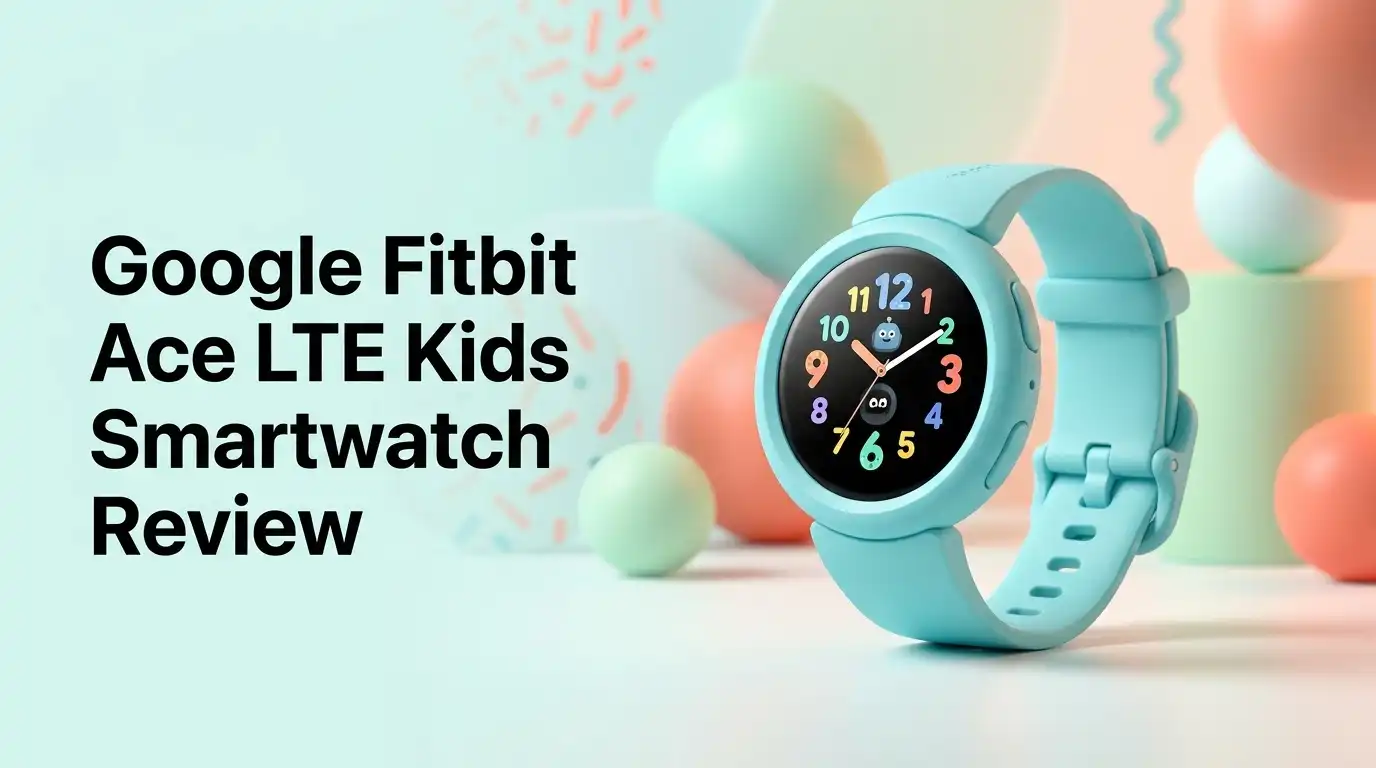
The Fitbit Ace LTE is a standalone smartwatch built for kids roughly ages 7 to 11. It runs its own LTE connection, so your child does not need a phone. The watch has a 41 mm OLED screen, a soft silicone bumper, and a swappable band. Google launched it in 2024 and has pushed steady software updates since.
The core idea is simple. Movement unlocks fun. Your child walks, runs, and plays. The watch counts that activity and rewards it with tickets. Tickets buy items for a virtual pet called an eejie and decorations for a home base.
Parents get a separate Fitbit Ace app. You approve contacts, check location, set school hours, and view step data there. Kids never see an app store, a browser, or social media.
The Unboxing Experience
The box is small, bright, and clearly aimed at kids rather than adults. Lift the lid and the watch sits face up in a molded tray. Underneath you find three things: a magnetic charging cable with a USB C end, a colorful protective bumper, and a Velcro wristband.
That is the full contents list. There is no wall adapter in the box, so you will need a spare USB C brick. Most families already have one.
The bumper snaps on in seconds and feels sturdy. The Velcro band is the smart touch here. Kids with small wrists get a snug fit without fighting tiny buckle holes. The watch arrives with a partial charge, enough to start setup immediately.
First impression: the build feels premium. The screen is bright and the chassis does not creak.
Design and Build Quality
The Ace LTE looks like a chunky square sports watch. It is noticeably thicker than an adult fitness band, which makes sense given the LTE radio and larger battery inside. On a seven year old wrist it looks proportional rather than comical.
Two physical buttons sit on the right side. The top green button handles power and the SOS menu. The lower button returns home. Everything else works through swipes.
The watch carries a water resistance rating suitable for swimming and showers. Kids can wear it in the pool without worry. Screen scratches are the real risk, which is why Google sells separate screen protectors.
The silicone bumper absorbs most playground impacts. After weeks of normal kid abuse, most reviewers report cosmetic scuffs on the bumper and nothing worse. Replacement bumpers cost about $19.99 for a two pack.
How Easy Is the Setup?
Setup is genuinely painless. There is no SIM card to install and no activation code to type. You charge the watch, power it on, and follow the prompts.
You download the Fitbit Ace app, create a profile for your child, and pair the watch. The Ace Pass data plan activates during this process. Expect about 20 minutes start to finish.
Then comes the clever part. The watch hands your child four tutorial quests. One requires logging 500 steps. Until they finish it, Bit Valley stays locked. Kids learn the interface by moving instead of reading instructions.
The parent app is well organized. Settings sit where you expect them. Contact approvals, school mode schedules, and location checks all live within two taps of the home screen.
Top 3 Alternatives for the Google Fitbit Ace LTE

Last update on 2026-11-11 / Affiliate links / Images from Amazon Product Advertising API
TickTalk 5 Kids Smart Watch

Last update on 2026-11-12 / Affiliate links / Images from Amazon Product Advertising API
Garmin Bounce 2 Kids Smartwatch
No products found.
Cosmo JrTrack 5 Kids Smart Watch
The Fitness Games Are the Real Star
This is where the Ace LTE pulls away from every rival. The games demand physical movement, not thumb taps.
In the Smokey Lake fishing game, your child throws an arm forward to cast. The watch vibrates when a fish bites. They curl their arm toward the shoulder to reel it in. Kids are doing bicep curls and calling it play.
Other games require turning 180 degrees to reveal hidden menu sections. Some reward sprinting. Google releases new games regularly, so the novelty does not die after a month.
Every completed game pays out tickets. Tickets buy furniture, outfits, and accessories in Bit Valley. The reward loop is strong enough that kids actively ask to go outside.
One caveat matters. This is not a true fitness tracker. Your child cannot log a swim or a bike ride as a specific workout.
Calling and Messaging Performance
Call quality is clear and crisp on both ends. The speaker gets loud enough for a noisy playground. Kids can adjust volume during a call.
Messaging is more flexible than most kids watches allow. Your child gets a full text keyboard, a preset message menu, an emoji library, and voice message recording. Voice messages are the feature kids actually use, since typing on a 41 mm screen is slow.
The watch supports up to 20 parent approved contacts with unlimited talk and text.
Here is the catch. Every single contact must have a Google account. Grandma with a Hotmail address cannot be added. Contacts also need to download the companion app. Kids under 13 face additional restrictions that make friend to friend messaging difficult.
GPS Tracking Accuracy Tested
GPS performance is one of the strongest parts of this watch. In open field testing, the parent app marked the exact location. Outdoors with buildings and trees nearby, accuracy drifted to roughly 10 feet. Indoors it held at about 15 feet with the correct street address.
That is excellent for finding a child at a fair, a park, or a crowded school pickup line. The app also generates driving directions to your child’s position.
Two gaps hurt here. There is no geofencing, so you get no alert when your child leaves or arrives somewhere. There is also no location history log, so you cannot review where they went earlier in the day.
You can refresh location manually as often as you like, but true live tracking with a moving marker does not exist.
School Mode and Parental Controls
School mode blocks games, calls, and messages during class hours. You toggle it in the app and set a recurring schedule. Kids see a yellow screen reading something like “Learn now, play later.”
The lunch break setting is thoughtful. You can carve out a window where the watch works normally. The app also reminds parents not to call during locked hours.
Reliability has been inconsistent. Testers have reported school mode showing as active in the app while the watch ignored it entirely for a full day. A software update resolved the issue in those cases, but it shows the system depends heavily on a stable connection.
Parental controls otherwise work well. No unknown number can call in or out. There is no browser and no app store.
Battery Life and Charging Results
Google advertises 16 hours of battery life, which sounds alarming for a kids device. Real world results are much better.
Testing with light to moderate use stretched the battery to roughly 60 hours. Heavy gaming and frequent calls will drain it faster, but a single day of normal wear barely dents it. Most families charge every two or three nights.
Fast charging is excellent. Thirty minutes on the magnetic cable delivers about 11 hours of use. A quick top up during dinner covers the next school day.
One annoyance stands out. The watch gives no low battery alert to parents. You will not get a notification on your phone when the charge runs low. You have to check the app yourself or rely on your child noticing.
What the Fitbit Ace LTE Does Not Do Well
Honest reviews list the failures, so here they are.
There is no video calling. Several rivals offer it, and kids love it. There is no voice to text, which frustrates younger kids who cannot spell quickly. There is no audio drop in, so you cannot listen in to check on your child.
The watch has no geofencing, no location history, and no worldwide tracking for international trips. It does not work in Alaska at all.
There is no music playback and no to do list or reminder function. Most competitors include both.
Critically, there is no option to dial 911. The SOS button cycles through your emergency contacts until someone answers, which is useful, but it is not the same as reaching dispatch.
Content monitoring is also absent. The watch does not flag concerning messages.
Pros and Cons
Pros
- Fitness games genuinely motivate kids to move, with new titles added regularly
- GPS accuracy tested within 15 feet indoors and exact in open fields
- Real battery life far exceeds the advertised 16 hours, reaching around 60 hours with light use
- Fast charging delivers about 11 hours of use in 30 minutes
- Up to 20 approved contacts with unlimited talk and text
- Two parents can share full account access, which most rivals do not allow
- SOS mode keeps calling contacts until someone picks up
- Greenlight debit card integration lets kids make digital payments
- Price dropped to around $179.99 in April 2026
- Full text keyboard plus voice messages and preset replies
Cons
- No video calling at any price tier
- No geofencing and no location history
- Every contact must hold a Google account
- Kids under 13 struggle to connect with friends
- No direct 911 dialing from the watch
- Does not function in Alaska
- No music, no reminders, no voice to text
- School mode has shown reliability glitches
- Ace Pass adds $9.99 every month
- Parent app occasionally lags behind watch step data
Total Cost of Ownership in 2026
The sticker price is only part of the math. The watch runs about $179.99 at retail, with Amazon frequently discounting below that.
The Ace Pass data plan costs $9.99 per month and is mandatory. You buy it directly from Google. That adds roughly $120 per year.
Financing exists if you want it. Google offers about $15 per month across 12 months. Amazon Visa and Affirm offer their own splits.
Optional extras pile up fast. Pixel Care+ protection runs about $29 for two years and covers accidental damage. Official bumpers cost $19.99 per two pack, wristbands $34.99, screen protectors $19.99 or more, and a spare charging cable $29.99.
Third party accessories on Amazon cost far less and work fine. Year one total lands near $300.
Who Should Buy This Watch?
Buy the Fitbit Ace LTE if your child is between 7 and 11, resists exercise, and you want a safe first communication device. The gamified movement system works, and that alone justifies the purchase for many families.
It fits best in households already inside the Google ecosystem. If both parents use Gmail and your child’s friends do too, the contact restrictions barely register.
Skip it if video calling matters to you. Skip it if you need geofencing alerts, location history, or direct 911 access. Families with a child who has medical needs should choose a watch with stronger emergency tools.
Blended families with three or more caregivers will hit the two parent limit quickly. Alaska residents should not buy this watch at all.
Final Verdict
The Google Fitbit Ace LTE is a very good kids smartwatch with a clear personality. It is built around movement and play, not surveillance. That design choice is refreshing, and kids respond to it.
The hardware is solid. The battery outperforms its own spec sheet. GPS accuracy is excellent. Call quality is clean. The games are the best in this category by a wide margin.
The weaknesses are real though. The missing safety features matter, and the Google account requirement for every contact is an avoidable headache. Software glitches have hit multiple reviewers.
At $179.99 the value equation finally works. At the old $225 price it was hard to recommend. Today it earns a strong recommendation for active kids in Google households, and a pass for everyone who needs deeper safety tools.
Frequently Asked Questions
Does the Fitbit Ace LTE need a phone to work?
No. The watch runs on its own LTE connection through the Ace Pass plan. Your child does not need a phone. Parents need a smartphone to run the Fitbit Ace app, but the watch itself is fully standalone.
How much is the Fitbit Ace LTE monthly fee?
The Ace Pass data plan costs $9.99 per month. You purchase it directly from Google, not from a carrier. The plan covers calling, messaging, and location sharing. There is no way to use the watch without it.
Can the Fitbit Ace LTE make video calls?
No. Video calling is not supported. If your family wants video calls, look at the TickTalk 5, the Verizon Gizmo Watch 3, or the T-Mobile SyncUP Kids Watch instead.
What age is the Fitbit Ace LTE best for?
It suits kids roughly 7 to 11 years old. Younger kids may struggle with the small keyboard and the lack of voice to text. Older kids often want music and video calling, which this watch lacks.
Is the Fitbit Ace LTE waterproof?
The watch is water resistant and safe for swimming, showers, and rain. It is not rated for diving or high pressure water activities. Dry the band after swimming to prevent skin irritation.
Can kids message their friends on the Fitbit Ace LTE?
Only with difficulty. Every contact needs a Google account and must install the companion app. Google restricts connections for users under 13, which blocks many friend to friend chats.
How long does the battery actually last?
Google advertises 16 hours. Real testing with light use reached around 60 hours. Heavy gaming shortens that significantly. A 30 minute charge adds roughly 11 hours of runtime.

Hi, I’m Lucy Jones, a dedicated watch enthusiast and reviewer. I spend my time hunting down, testing, and evaluating the most intriguing wristwatches on the market. My goal is to guide you through the overwhelming choices with honest, hands-on insights into every timepiece.